Added: Audio & Video Support in Knowledge Bases
27 Mar 2026

Elizabeth Long
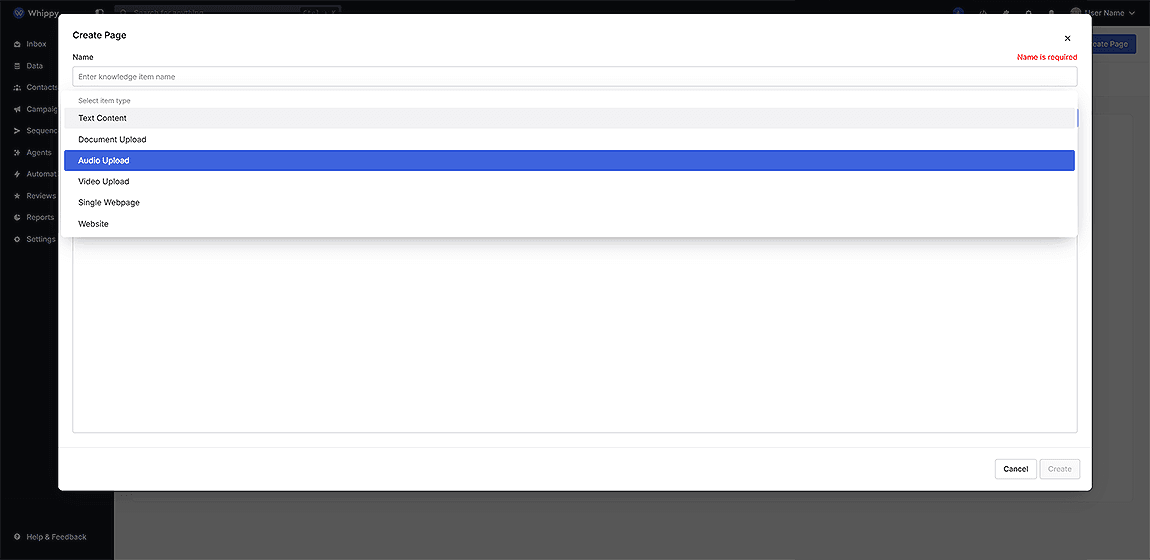
You can now upload audio and video files to your Knowledge Base and use them in AI-powered responses.
What’s included
- Upload support for audio files (up to 100MB)
- Upload support for video files (up to 200MB)
- Searchable content available in AI responses and workflows
How it works
Upload audio or video files to your Knowledge Base and publish it.
After publishing, the system generates a transcription and indexes the content so it can be used in searches, automations, and AI responses.
Why it matters
Important knowledge often lives in recordings like demos, trainings, and calls.
This update makes that content searchable and usable, helping your team:
- Access information faster
- Improve response accuracy
- Reduce manual documentation
Notes
- Audio files: maximum 100MB
- Video files: maximum 200MB
- Transcription starts after the Knowledge Base is published