


Table of Contents
- Introduction to All-in-One Communication
- Channels of Communication
- Modes of Communication
- Types of Communication
- Why Point Solutions Are Not Ideal in 2026
- How to Choose the Right All-in-One Communication Platform
- Implementation Guide: Steps to Transition to an All-in-One Platform
- Overcoming Common Challenges
- Future Trends in All-in-One Communication Platforms
- Integration with Existing Systems
- FAQs
- Conclusion & Next Steps
Try Whippy for Your Team
Experience how fast, automated communication drives growth.
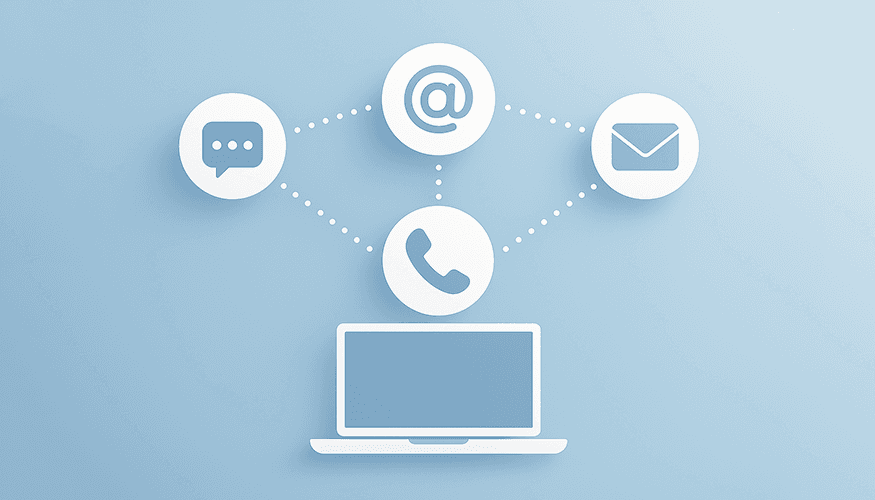
Effective communication has never been more critical. With customers and teams scattered across multiple platforms and channels, managing every interaction quickly becomes overwhelming. An all‑in‑one communication platform solves this challenge by unifying diverse channels, modes, and message types into a single, cohesive system.
In this comprehensive guide, we'll explore the concept of all-in-one communications platforms, delve into the different channels, modes, and types of communication they encompass, and discuss why relying on separate point solutions is no longer ideal in 2026. We’ll also introduce you to Whippy, a leading all in one communication app that brings everything together in one place, effectively serving as an all in one messenger and unified messaging platform for your business.
Introduction to All-in-One Communication
Businesses today interact with customers and employees through a myriad of channels—be it SMS, email, voice calls, or live chat. Managing these channels separately can lead to inefficiencies, missed messages, and a disjointed customer experience.
An all-in-one communication platform consolidates these channels into a single interface, functioning as an all in one messenger that streamlines communication and enhances collaboration. By integrating different modes and types of communication, such platforms empower businesses to communicate more effectively and efficiently.
Channels of Communication
An all‑in‑one app brings together the communication tools and channels your business already relies on, allowing businesses to reach their audience wherever they are.
SMS
Short Message Service (SMS) remains one of the most effective ways to reach customers directly on their mobile devices. With high open rates, SMS is ideal for urgent notifications, reminders, and personalized messages.
Email is a staple in business communication, suitable for detailed information, newsletters, and formal correspondence. Integrating email into a unified platform ensures that all communications are tracked and managed cohesively.
Voice
Voice calls add a personal touch to customer interactions. Whether for sales calls, customer support, or team meetings, integrating voice communication enhances engagement and builds stronger relationships.
Live Chat
Live chat provides real-time interaction with website visitors or app users. It's a powerful tool for immediate customer support, answering queries, and guiding users through processes.
Modes of Communication
Understanding the different modes of communication is crucial for optimizing interactions. These modes determine how messages are delivered and managed.
Manual Communication
Manual communication involves direct human intervention. Customer service representatives (CS reps) manually send messages, respond to inquiries, and handle complex tasks that require empathy and human judgment.
- Use Case: Addressing intricate customer issues that cannot be resolved through automated responses.
- Benefit: Provides a personalized experience while managing tasks that demand empathy, building trust with customers.
Automated Communication
Automated communication utilizes predefined workflows and rules, often through an IF THIS THEN THAT logic or workflow engines connected via APIs.
- Use Case: Sending appointment reminders, order confirmations, or triggering responses based on customer actions.
- Benefit: Increases efficiency through a built‑in management feature that handles standard, codifiable situations with minimal room for error.
Example in Healthcare:
If a patient confirms an appointment by replying "Yes", the system automatically sends a "Thank you" message, ensuring consistency and reducing the chance of human error.
AI Agent-Based Communication
AI Generative Agent-Based Communication leverages artificial intelligence to handle complex, contextual interactions that are difficult to code into workflows.
- Use Case: Engaging in dynamic conversations where customer inputs are unpredictable.
- Benefit: Offers personalized responses and can handle a wide range of scenarios without human intervention.
Example:
A customer is asked for their email address but provides their physical address instead. An AI agent recognizes the mismatch and follows up appropriately to request the correct information, something hard to codify in a traditional workflow.
Types of Communication
Communication can be categorized based on its purpose within a business.
Sales Communication
- Objective: Convert prospects into customers.
- Channels Used: Email campaigns, SMS promotions, voice calls.
- Strategies: Personalized outreach, follow-up messages, product recommendations.
Support Communication
- Objective: Assist customers with issues and inquiries.
- Channels Used: Live chat, voice calls, email support.
- Strategies: Quick response times, knowledge base articles, AI chatbots for common questions.
Marketing Communication
- Objective: Build brand awareness and customer engagement.
- Channels Used: Email newsletters, SMS marketing, social media integration.
- Strategies: Segmented campaigns, promotional offers, event announcements.
Why Point Solutions Are Not Ideal in 2026
In the past, businesses often relied on separate point solutions for different communication channels, modes, or types. This meant using one platform for email marketing, another for customer support tickets, and yet another for SMS campaigns. However, in 2026, this approach is increasingly impractical and inefficient.
Challenges with Point Solutions:
- Fragmented Data: Information is siloed across multiple systems, making it difficult to get a holistic view of customer interactions.
- Inefficient Workflows: Switching between different platforms consumes time and increases the likelihood of errors.
- Inconsistent Customer Experience: Disjointed communication can lead to inconsistent messaging and a poor customer experience.
- Difficulty in Coordination: Coordinating campaigns or strategies across different departments becomes challenging.
Example Scenario
Consider a marketing team planning to send out an email campaign for a new product launch. Ideally, they would want to exclude customers who currently have open support tickets to avoid appearing insensitive or neglectful.
With Point Solutions:
- The marketing team uses an email marketing platform.
- The customer support team uses a separate ticketing system.
- Excluding customers with open tickets requires exporting data from the support system and importing it into the email platform, which is time-consuming and error-prone.
- There's a risk of missing customers or not updating data in real-time.
With an All-in-One Platform like Whippy:
- All customer interactions are centralized.
- The marketing team can easily set filters to exclude customers with open support tickets from the email campaign.
- The data is updated in real-time, ensuring accuracy.
- The process is streamlined, saving time and reducing errors.
The 2026 Imperative
In 2026, customer expectations are higher than ever. They demand personalized, timely, and relevant communications. Businesses need to be agile, data-driven, and customer-centric.
- Integration is Key: An all-in-one communication platform eliminates silos, allowing for seamless coordination between departments.
- Real-Time Data: Access to up-to-date information ensures that communications are relevant and appropriate.
- Enhanced Analytics: Unified platforms provide better insights, enabling businesses to make informed decisions.
By moving away from point solutions, businesses can improve efficiency, enhance the customer experience, and gain a competitive edge.
How to Choose the Right All-in-One Communication Platform
Selecting the right platform is crucial for maximizing the benefits of unified communication. Here are key factors to consider:
1. Channel Integration
Ensure the platform supports all the communication channels your business uses, such as SMS, email, voice, and live chat.
2. Scalability
Choose a solution that can grow with your business, accommodating increased communication volumes and new channels.
3. Ease of Use
A user-friendly interface reduces the learning curve, makes managing tasks intuitive, and increases adoption rates among your team.
4. AI Capabilities
Advanced AI features enhance automation and personalization, allowing for more efficient and effective communication.
5. Integration with Existing Systems & Communication Tools
The platform should seamlessly integrate with your current CRM, ERP, or other essential tools to ensure data consistency.
6. Security and Compliance
Verify that the platform has robust security measures and complies with relevant regulations like GDPR and HIPAA.
7. Customer Support
Reliable support is essential for troubleshooting and maximizing the platform's potential.
8. Cost
Consider the total cost of ownership, including licensing fees, implementation costs, and potential savings from increased efficiency.
Implementation Guide: Steps to Transition to an All-in-One Platform
Transitioning to an all-in-one communication platform requires careful planning. Here's a step-by-step guide:
Step 1: Assess Your Needs
- Identify your current communication challenges and goals.
- Determine which channels and modes are most critical for your business.
Step 2: Research Platforms
- Compare options focusing on the key factors outlined above.
- Read reviews and request demos to understand functionality.
Step 3: Plan the Transition
- Develop a timeline and assign responsibilities.
- Communicate the plan to all stakeholders.
Step 4: Data Migration
- Consolidate contacts and communication histories.
- Ensure data is clean and up-to-date before migration.
Step 5: Integration Setup
- Connect existing systems and tools to the new platform.
- Test integrations thoroughly to prevent disruptions.
Step 6: Training
- Provide comprehensive training for your team members.
- Utilize resources provided by the platform, such as tutorials and support materials.
Step 7: Test the System
- Run pilot tests to ensure all features work as expected.
- Collect feedback from users to make necessary adjustments.
Step 8: Launch
- Roll out the platform across the organization.
- Monitor usage and address any issues promptly.
Step 9: Monitor and Optimize
- Use analytics to track performance.
- Continuously refine your communication strategies based on data insights.
Overcoming Common Challenges
Implementing a new communication platform can come with obstacles. Here's how to address them:
Resistance to Change
Solution: Encourage adoption through effective training and by highlighting the benefits to both the team and customers.
Data Migration Issues
Solution: Plan carefully and consider professional assistance for data migration to ensure accuracy and completeness.
Integration Complexities
Solution: Work closely with the platform's support team to facilitate seamless integration with existing systems.
Ensuring Data Security
Solution: Verify the platform's security credentials, and implement best practices like strong access controls and regular audits.
Future Trends in All-in-One Communication Platforms
Emerging technologies are set to shape the future of unified communication:
Advanced AI and Machine Learning
Impact: Greater personalization and predictive communication based on customer behavior and preferences.
Omnichannel Experiences
Impact: Even more integrated and seamless customer journeys across all touchpoints.
Voice and Video Integration
Impact: Enhanced real-time communication options for support and collaboration.
Mobile-First Platforms
Impact: Optimized for on-the-go access and management, catering to remote teams and mobile customers.
Increased Automation
Impact: More sophisticated automation for both routine and complex tasks, improving efficiency.
Integration with Existing Systems
Seamless integration enhances efficiency and data consistency:
CRM Integration
Benefit: Sync customer data for personalized interactions and better relationship management.
Marketing Automation Tools
Benefit: Coordinate campaigns and track performance across platforms.
Customer Support Systems
Benefit: Unified ticketing and support history improve response times and customer satisfaction.
APIs and Webhooks
Benefit: Custom integrations cater to specialized needs and workflows.
FAQs
Q: What makes AI recruiting software “best” for industrial staffing?
A: The best AI recruiting software for industrial staffing goes beyond resume tracking. It must handle high-volume applicant flow, engage candidates instantly through SMS, support multilingual recruiting, automate shift scheduling, reduce no-shows, and maintain compliance logs for audits. Whippy is purpose-built for warehouses, logistics, manufacturing, and light industrial hiring where speed and reliability matter most.
Q: Will AI recruiting software help reduce turnover in industrial staffing?
A: Yes. Industrial turnover is often caused by slow communication, unclear expectations, and missed shift confirmations. Whippy reduces turnover with instant SMS outreach, multilingual onboarding messages, automated reminders, and consistent follow-up. It also uses screening and predictive prioritization to place more reliable candidates, improving attendance and retention over time.
Q: Is Whippy only for staffing agencies, or can in-house industrial teams use it too?
A: Whippy works for both staffing agencies and in-house industrial hiring teams. Staffing firms use it to manage high-volume applicants across branches and clients, while internal HR teams use it to speed up hiring for warehouses, manufacturing plants, and multi-site operations. The platform adapts to your workflow while keeping communications and scheduling centralized.
Q: How long does it take to implement Whippy for industrial staffing?
A: Most industrial staffing teams can launch Whippy quickly because it is designed for fast rollout. You can start with SMS-first candidate engagement and automated screening first, then expand into shift confirmations, multilingual onboarding, compliance tracking, and analytics dashboards. This phased approach helps teams see results fast without disrupting daily recruiting operations.
Q: Does Whippy integrate with my ATS or staffing software?
A: Yes. Whippy includes an ATS integration layer that syncs key applicant data, candidate statuses, and communication history so recruiters do not have to work across disconnected systems. This reduces duplicate entry, improves visibility across the funnel, and keeps recruiters moving candidates from application to confirmation without delays.
Q: Is SMS recruiting compliant with 10DLC and consent requirements?
A: Yes. Whippy is built for compliant messaging with opt-in and consent tracking, audit-ready communication logs, and templates designed to support regulated environments. This helps industrial staffing firms meet texting requirements, document candidate communications, and reduce risk when hiring across industries with strict labor and safety rules.
Q: How does Whippy reduce no-shows for warehouse and shift-based roles?
A: Whippy reduces no-shows by automating real-time confirmations, reminders, and “running late” or cancellation responses via SMS. Candidates can confirm shifts instantly from their phone, and recruiters get immediate visibility into attendance risk. Predictive prioritization also helps recruiters focus on applicants most likely to show up and stay reliable.
Q: Can Whippy automatically backfill shifts when workers cancel?
A: Yes. Whippy supports automated backfill workflows by alerting recruiters when cancellations happen and enabling rapid outreach to available candidates by SMS. This keeps shifts covered during peak demand, reduces downtime, and helps staffing teams avoid last-minute scrambling across warehouses, logistics sites, manufacturing plants, and job sites.
Q: What languages does Whippy support for multilingual recruiting?
A: Whippy supports multilingual recruiting by translating candidate messages and recruiter replies in real time while also providing multilingual templates for outreach, onboarding, and safety instructions. This allows candidates to apply, respond, and confirm shifts in their preferred language, improving clarity, compliance, and candidate experience in diverse industrial workforces.
Q: How does Whippy screen candidates for safety-sensitive industrial roles?
A: Whippy automates screening with role-specific pre-screen questions, eligibility checks, and skills or behavioral assessments that help validate qualifications quickly. For safety-sensitive roles, recruiters can filter for required certifications and reliability indicators early in the process. This improves hiring accuracy while maintaining fairness at scale.
Q: How does Whippy measure ROI for industrial staffing teams?
A: Whippy tracks the metrics industrial staffing leaders care about most, including time-to-hire, response rates, show-up rates, shift fill speed, and retention trends. These dashboards help prove staffing performance to clients and reveal where drop-offs occur. The result is clearer reporting, faster hiring, and fewer wasted recruiter hours.
Q: How is Whippy different from a career page chatbot or generic ATS automation?
A: A chatbot typically handles basic FAQs or intake, but it does not manage the full workflow industrial staffing requires. Whippy is an AI recruiter built for high-volume, shift-driven hiring with SMS engagement, multilingual communication, screening, attendance confirmations, automated backfills, compliance logs, and analytics. It is purpose-built for industrial staffing, not a generic add-on.
Conclusion & Next Steps
In an era where customers expect instant, personalized communication, businesses must adapt by leveraging tools that streamline and enhance interactions. Relying on separate point solutions for different channels, modes, or types of communication is no longer viable in 2026. It leads to inefficiencies, fragmented data, and a disjointed customer experience.
An all-in-one communication platform like Whippy empowers businesses to manage all channels, modes, and types of communication effectively. By integrating SMS, email, voice, and live chat into one platform, and supporting manual, automated, and AI-driven modes, Whippy ensures that your business can meet and exceed customer expectations.
Whether you're focused on sales, support, or marketing, having everything in one place simplifies processes, improves efficiency, and drives better results. With Whippy, excluding contacts with open customer support tickets from an email marketing campaign is as simple as applying a filter, something that's cumbersome and error-prone when using separate systems.
Take the Next Step Towards Unified Communication
Don't let fragmented communication hold your business back. Embrace the efficiency and effectiveness of an all-in-one communication platform. With Whippy, you'll not only streamline your operations but also elevate your customer experience.
Get Started with Whippy Today
Request a Free Live Demo: See Whippy in action and discover how it can transform your business communication.
By integrating all communication channels, modes, and types into one platform, you're positioning your business for success in 2026 and beyond. Make the smart move and unify your communications with Whippy.
Table of Contents
Table of Contents
- Introduction to All-in-One Communication
- Channels of Communication
- Modes of Communication
- Types of Communication
- Why Point Solutions Are Not Ideal in 2026
- How to Choose the Right All-in-One Communication Platform
- Implementation Guide: Steps to Transition to an All-in-One Platform
- Overcoming Common Challenges
- Future Trends in All-in-One Communication Platforms
- Integration with Existing Systems
- FAQs
- Conclusion & Next Steps
Try Whippy for Your Team
Experience how fast, automated communication drives growth.

Related Articles
Automate Customer Support: Complete Guide to AI & Tools
 Elizabeth Long
Business Fax Software: One Inbox for All Channels
Elizabeth Long
Top Business Messaging Platforms with AI (2026 Guide)
Elizabeth Long
AI Automation for Logistics Companies: Faster CX
Elizabeth Long
After Hours Recruiting: Convert Applicants 24/7
Elizabeth Long
Phone Number Porting vs Hosting: Complete Business Guide
Elizabeth Long