


Table of Contents
- What Is a HubSpot SMS Integration?
- Why Two-Way Texting From HubSpot CRM Actually Matters
- Where HubSpot SMS Integrations Fit in the Market
- HubSpot Native SMS vs. a Full HubSpot SMS Integration
- The One Compliance Step You Cannot Skip: A2P 10DLC
- What to Look for in the Best HubSpot SMS Integration
- What HubSpot SMS Automation Actually Looks Like
- Getting Started With a HubSpot SMS App Integration
- See It Running in Your Own HubSpot Account
- Frequently Asked Questions
Try Whippy for Your Team
Experience how fast, automated communication drives growth.
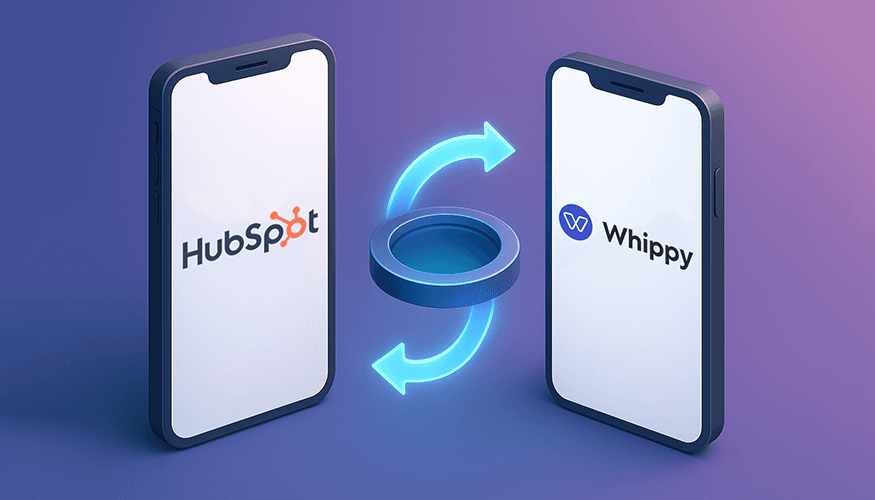
A lead fills out a form at 9:47 PM. Your team sees it at 8:15 the next morning. By then they've already texted two other companies and booked a call with one of them. This is happening in your pipeline right now, every single day, and email isn't going to fix it.
Here's the part that stings: it's not a lead quality problem or a sales skill problem. It's a channel problem. Your reps are working out of HubSpot, but the moment a conversation needs to move to text, someone has to switch to a personal phone or a separate app, lose the deal context, and hope they remember to log the exchange back into the CRM. Multiply that friction across every deal, every ticket, every re-engagement campaign, and you're leaking pipeline in a way that never shows up cleanly on a dashboard.
The fix is texting that lives inside HubSpot itself, not next to it. The best HubSpot SMS integration lets you send and receive SMS, MMS, and WhatsApp messages from inside a contact, deal, or ticket record, with every reply logged automatically to the timeline. HubSpot's own SMS tools cover basic marketing sends. A dedicated hubspot texting integration like Whippy adds two-way conversations, workflow automation, and AI replies on top of that, without asking your team to leave the CRM.
Quick answer:
The best HubSpot SMS integration supports true two-way texting, MMS, and WhatsApp from directly inside HubSpot records, with replies synced automatically to the timeline. HubSpot's native add-on only covers one-way US marketing texts. A full integration like Whippy adds international numbers, AI replies, and automation across sales, support, and marketing.
The rest of this guide breaks down how the market splits between marketing-only tools and full conversation platforms, the one compliance step nobody can skip, and how to get two-way texting from HubSpot CRM running without wasting your first month on setup mistakes.
What Is a HubSpot SMS Integration?
A HubSpot SMS integration is a connected app that adds text messaging to your HubSpot CRM so reps can text contacts, deals, and tickets from the record they're already working in, instead of switching to a phone or a separate SMS tool.
A strong hubspot texting integration does four things well:
- Sends and receives SMS, MMS, and WhatsApp messages inside HubSpot, not through a bolted-on tab.
- Logs every conversation to the contact timeline automatically, alongside emails and calls.
- Triggers texts from HubSpot workflows based on form submissions, deal stage changes, or list membership.
- Gives reps full conversation history before they hit reply, so nobody asks "wait, what did we already tell this person?"
That last point is where most hubspot sms tools quietly fall short. A lot of apps in the HubSpot Marketplace handle sending fine but treat two-way replies as an afterthought, which means conversations end up split across a CRM tab and a separate phone.
Why Two-Way Texting From HubSpot CRM Actually Matters
Email still works for some things. It's not where conversations happen anymore. A Twilio-commissioned study run by the research firm Vanson Bourne surveyed 6,000 consumers across North America, Europe, and Asia and found that nine in ten wanted the option to message a business directly, and 85% specifically wanted to reply through that same channel rather than get routed to a call or a web form. That gap between what customers expect and what most sales stacks deliver is exactly why two-way texting from HubSpot CRM has moved from "nice to have" to a baseline requirement for revenue teams.
Here's what changes in practice once texting lives inside the CRM instead of next to it:

Speed to lead improves. A text sent the moment a form is submitted lands on a phone in seconds. An email sent at the same moment sits in an inbox until someone checks it.
Context stays in one place. Picture a rep picking up a deal on a Monday morning. If the last SMS exchange lives in a separate app, they're piecing together what happened from memory or a Slack thread. If it's logged to the HubSpot record next to the calls and emails, they open the deal and know exactly where things stand.
Follow-up stops depending on someone remembering. Once texting runs through hubspot sms workflows, reminders and re-engagement sequences fire on their own.
Where HubSpot SMS Integrations Fit in the Market
Search the HubSpot Marketplace for "SMS" and you'll find a real range of tools, not a single obvious answer. It's worth knowing the landscape before picking one, because "best" depends heavily on what your team actually needs to do.
A few categories worth knowing:
- Sales dialer add-ons, like Kixie, built primarily around click-to-call for sales teams, with texting as a secondary feature layered onto the calling workflow. A solid fit if calling is your main motion and texting is a supplement.
- HubSpot-specific SMS marketing apps, like Sakari, built specifically to plug SMS sending into HubSpot marketing workflows. These tend to be strong for list-based sends and lighter on cross-object automation for sales and support.
- Standalone business texting platforms with a HubSpot connector, like Salesmsg and EZ Texting, which started as general SMS tools and added CRM integrations afterward. Reliable for straightforward two-way texting, though depth of native HubSpot workflow support varies by plan.
- Full conversational platforms, the category Whippy is built for, which combine SMS, MMS, WhatsApp, and voice with AI-driven replies and automation that spans sales, support, and marketing objects, not just marketing contacts.
None of these are wrong choices in isolation. The decision usually comes down to one question: are you trying to send texts, or are you trying to run conversations that touch every stage of the customer lifecycle? Teams asking the second question are typically the ones evaluating a full hubspot sms integration software layer instead of a single-purpose app.
HubSpot Native SMS vs. a Full HubSpot SMS Integration
HubSpot does offer its own SMS add-on for Marketing Hub Professional and Enterprise accounts, built on top of Twilio. It's a reasonable option if your only goal is sending US-based marketing texts from one number.
HubSpot Native SMS Add-on | Full HubSpot SMS Integration | |
|---|---|---|
Numbers supported | US-based only | US and international |
Channels | SMS only | SMS, MMS, WhatsApp, and voice |
Setup time | 6 to 8 business days (long code) or 8 to 12 weeks (short code) | Minutes to hours via Marketplace or direct embed |
Automation scope | Primarily marketing contacts | Sales, support, and marketing objects, including deals and tickets |
AI auto-replies | Not included | Available on platforms built for conversational SMS |
Best fit | Simple, US-only marketing sends | Teams running conversations, not just campaigns |
A broader hubspot sms platform fills the gaps in that right column: international numbers, WhatsApp and voice alongside SMS and MMS, AI-assisted replies, and automation that reaches every HubSpot object. That's the model Whippy's HubSpot integration follows.
The One Compliance Step You Cannot Skip: A2P 10DLC
Before you send a single automated text through any hubspot sms tools, US carriers require A2P 10DLC registration. A2P stands for Application-to-Person messaging. It's the framework carriers use to authorize businesses sending SMS at scale over standard 10-digit long code numbers.
What that means in practice:
- You register your business and your messaging use case before you send.
- Carriers assign your number a trust score from that registration, which affects throughput and how aggressively your messages get filtered.
- Skipping registration risks message blocking, delayed delivery, or carrier penalties.
- This applies regardless of platform. HubSpot's native add-on and every third-party integration sit on top of the same carrier requirement.
Build A2P 10DLC into your rollout timeline from day one. Most teams that skip this, or treat it as an afterthought, are the same teams wondering weeks later why their first campaign underperforms.
What to Look for in the Best HubSpot SMS Integration
Not every app tagged "SMS" in the HubSpot Marketplace offers the same depth. Here's what separates the top hubspot sms integrations from a basic texting app:
Feature | Why it matters |
|---|---|
True two-way messaging | You need to receive and reply inside HubSpot, not just send one-way blasts |
Native workflow triggers | Texts should fire from form fills, deal stage changes, list enrollment, or ticket status |
Omnichannel coverage | Native hubspot sms mms support plus WhatsApp and voice from one platform beats juggling three |
AI-assisted replies | Instant answers to common questions without adding headcount |
Fast, low-friction setup | Install from Marketplace or direct embed in minutes, not a developer sprint |
Compliance support | Opt-in tracking, consent management, and A2P guidance built in |
Full record visibility | Every message shows on the contact, deal, or ticket record for whoever picks it up next |
What HubSpot SMS Automation Actually Looks Like
Once texting connects to HubSpot workflows, hubspot SMS automation opens up use cases well beyond one-off outreach:
- Speed-to-lead texting. A workflow fires the moment a form is submitted, often before the lead has closed the browser tab.
- Appointment reminders. Scheduled texts cut no-shows more reliably than email, mainly because texts get opened faster.
- Support follow-ups. A rep or an AI agent answers routine questions the moment a ticket comes in.
- Drip and lifecycle campaigns. Sequences tied to lifecycle stage or deal stage keep contacts warm without manual sending.
- Omnichannel routing. A workflow decides, based on contact preference or past behavior, whether the next touch should be SMS, WhatsApp, or a call.
A revenue team running this kind of automation isn't just saving time on individual messages. It's closing the gap between when a lead shows interest and when someone actually responds, which is usually the single biggest lever in speed-to-lead performance.
Getting Started With a HubSpot SMS App Integration
The general sequence looks similar across platforms:
- Install the app from the HubSpot Marketplace, or connect via direct embed if the provider offers one.
- Register for A2P 10DLC so carriers authorize your number before you send.
- Sync your numbers and contacts, and confirm records are mapping correctly.
- Build your first workflow, starting with something simple like a speed-to-lead text or appointment reminder.
- Turn on AI replies if your platform supports them, so routine questions get answered while your team handles the conversations that need a human.
Registration is usually the longest part of this process, not the setup itself. With texting software for HubSpot properly configured, most teams have a first automated message live within a day of approval.
See It Running in Your Own HubSpot Account
Go back to that 9:47 PM lead. With texting native to HubSpot, that lead gets an instant text the moment the form submits, not a reply the next morning. That's the actual gap between losing a deal to speed and closing it. Reading about two-way texting and watching it work inside your own pipeline are different things.
If your team is ready to move past one-way blasts, request a demo of Whippy's HubSpot integration and see two-way texting, MMS, WhatsApp, voice, and AI-powered replies synced to your contact records in real time, on your own data, before you commit to anything.
Frequently Asked Questions
Q: What is the best HubSpot SMS integration?
A: The best HubSpot SMS integration supports true two-way texting, connects natively to HubSpot workflows, and covers SMS, MMS, and WhatsApp from a single platform. Whippy's HubSpot integration is built around that combination, with AI agents added to handle instant replies at scale.
Q: Is a HubSpot SMS integration different from HubSpot's built-in SMS add-on?
A: Yes. HubSpot's native add-on is a Twilio-powered tool limited to US numbers and built mainly for marketing sends. A dedicated hubspot text messaging integration typically adds international coverage, WhatsApp, voice, and automation across sales, support, and marketing objects, not just marketing contacts.
Q: Can I automate SMS in HubSpot?
A: Yes. HubSpot sms workflows let you trigger texts from form submissions, deal stage changes, and list enrollment. Replies can also route to AI agents for instant responses outside business hours.
Q: Does a HubSpot SMS integration support MMS and WhatsApp?
A: The strongest hubspot sms platform options support SMS, MMS, and WhatsApp from the same interface, so your team isn't switching tools depending on which channel a contact prefers.
Q: Do I need to register for A2P 10DLC before texting from HubSpot?
A: Yes, if you're sending from a US-based long code or short code number. A2P 10DLC is a carrier requirement, not a platform-specific one. It applies whether you use HubSpot's native SMS add-on or a third-party integration.
Q: How fast can I start texting from HubSpot?
A: Once A2P 10DLC registration is approved, most teams can install a HubSpot SMS app integration and send their first automated message within a day. Registration itself can take anywhere from a few business days to several weeks depending on whether you use a long code or short code number.
Table of Contents
Table of Contents
- What Is a HubSpot SMS Integration?
- Why Two-Way Texting From HubSpot CRM Actually Matters
- Where HubSpot SMS Integrations Fit in the Market
- HubSpot Native SMS vs. a Full HubSpot SMS Integration
- The One Compliance Step You Cannot Skip: A2P 10DLC
- What to Look for in the Best HubSpot SMS Integration
- What HubSpot SMS Automation Actually Looks Like
- Getting Started With a HubSpot SMS App Integration
- See It Running in Your Own HubSpot Account
- Frequently Asked Questions
Try Whippy for Your Team
Experience how fast, automated communication drives growth.

Related Articles
Automate Customer Support: Complete Guide to AI & Tools
 Elizabeth Long
Business Fax Software: One Inbox for All Channels
Elizabeth Long
Ecommerce SMS Marketing Guide: Strategies That Convert
Elizabeth Long
Top Business Messaging Platforms with AI (2026 Guide)
Elizabeth Long
The Ultimate Guide to All-in-One Communication Platforms in 2026
 Jack Kennedy
Best Mass Texting Service for Businesses in 2026
Jack Kennedy