Added: Rollback Functionality for Knowledge Bases

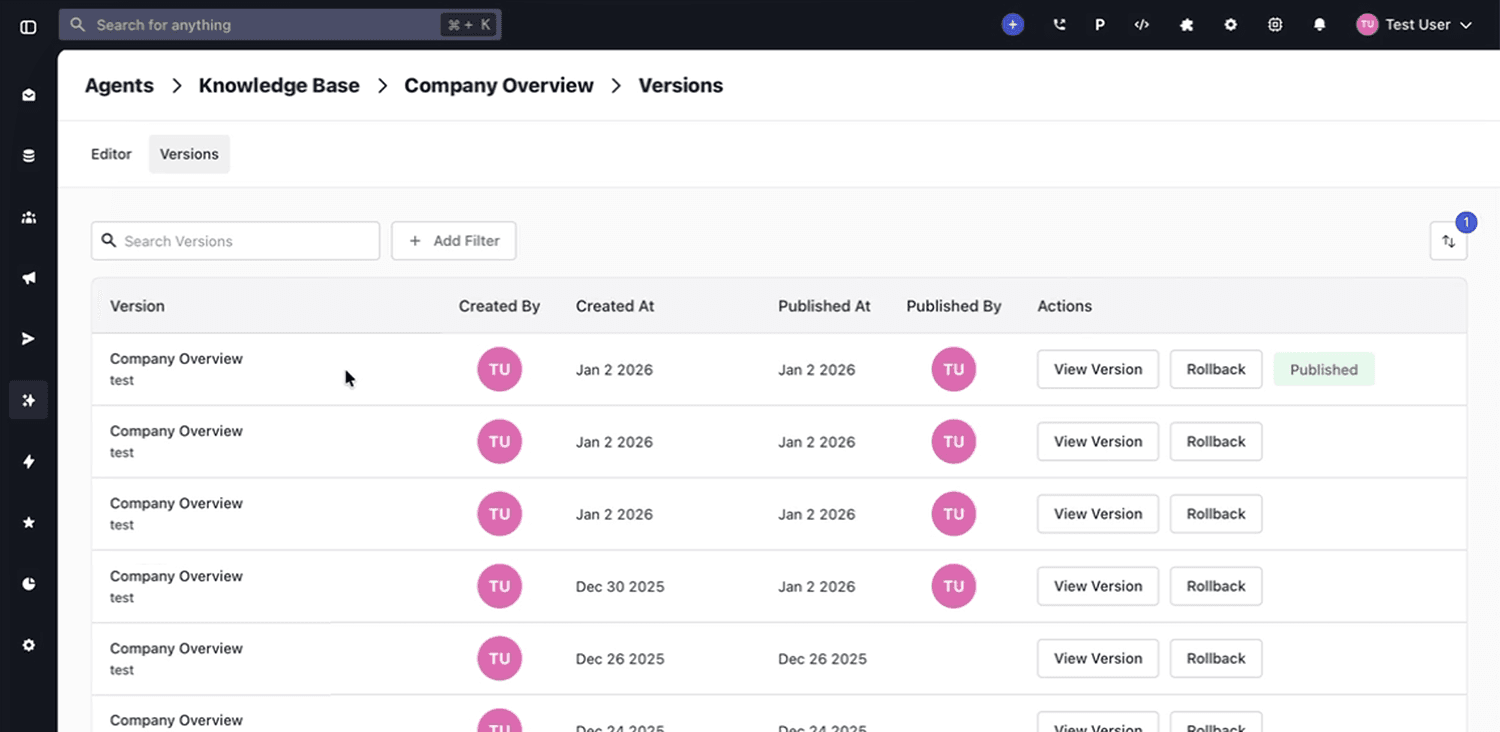
You can now roll back an entire knowledge base to any previously published version without changing what’s live right away.
How It Works
You can select any published version of a knowledge base and roll back to it. When you choose a version, the system creates a new draft based on that version.
From there, you can:
- Review the restored content
- Make edits if needed
- Publish when you are ready
Rollback does not immediately replace the live knowledge base. The live version stays active until you publish the draft.
Why It Matters
Knowledge bases change often, and mistakes happen. This update added a safer way to manage content updates and keep customer-facing information accurate.
Rollback helps you:
- Undo incorrect or unwanted edits
- Restore a stable version after a problematic update
- Control what goes live with a draft-first workflow
- Reduce risk when updating support content, FAQs, or internal documentation
If you use Whippy’s knowledge base to support AI conversations, customer support, or automated messaging workflows, rollback gives you a more reliable way to maintain version control and content quality.