Added: Meta Messenger Integration

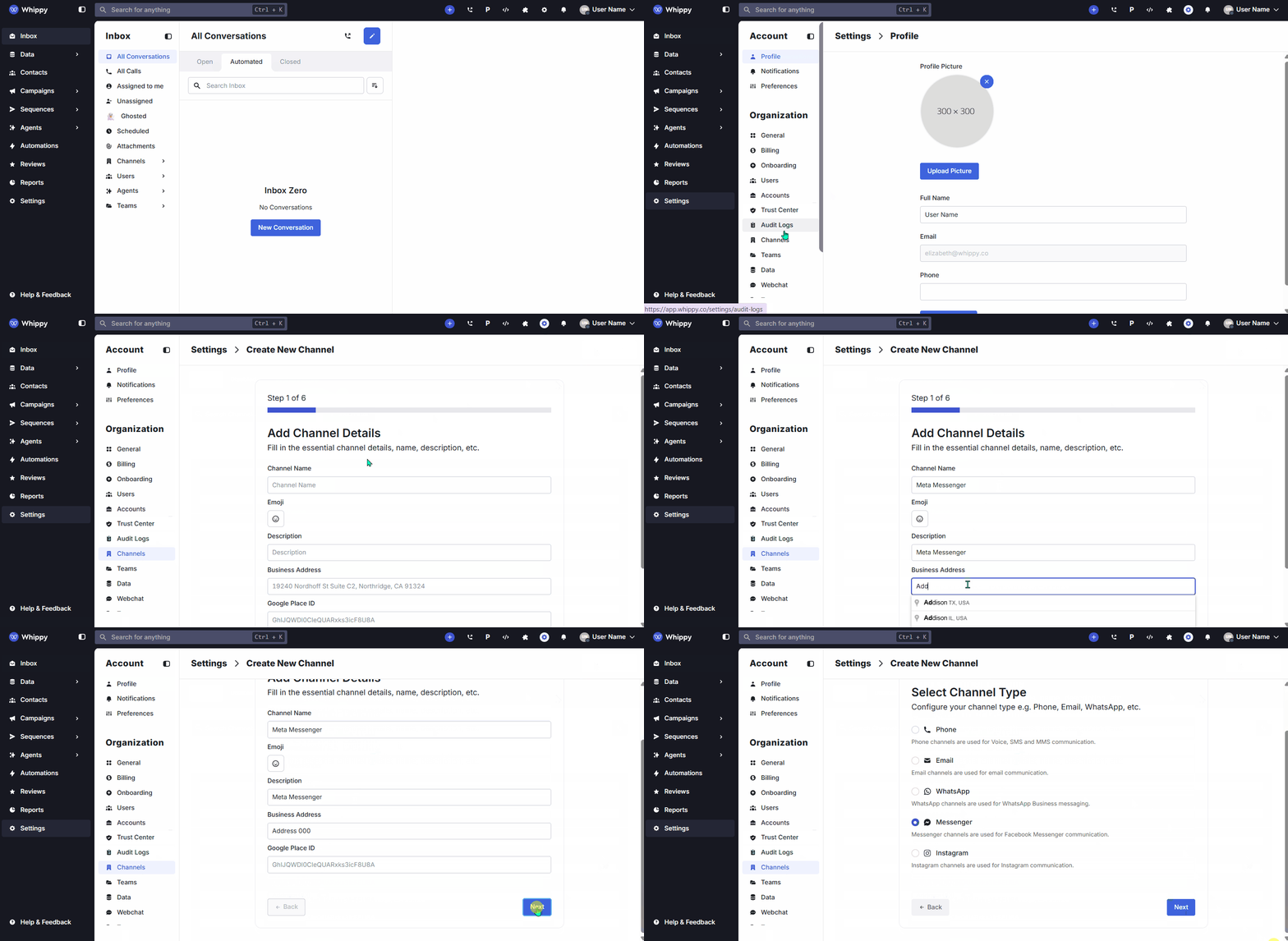
You can now connect your Meta account and manage Facebook Messenger conversations directly inside Whippy. This integration brings Facebook Page messaging into your existing inbox, so your team can handle conversations without switching tools. The feature is live and available to all customers. No feature flag is required.
How It Works
We added native support for Meta Facebook Messenger page chats within Whippy. Once connected, you can send and receive Messenger messages from your Facebook Pages inside your existing Whippy inbox.
Connect Your Meta Account
1. Create a new Channel in Whippy.
2. Click Connect Meta Account.
3. Grant access to the Facebook Pages, Businesses, and Instagram accounts you want to integrate.
4. Select the correct Meta account if you manage multiple accounts.
5. Choose the Facebook Messenger Page to connect.
6. Complete the channel setup.
After setup, any user who interacts with your page through an m.me link, “Start Conversation” button, or direct message will appear inside Whippy in real time.
Conversation routing can also be configured to allow multiple apps or teams to receive and respond to Messenger messages.
What You Can Send
You can send:
• Text messages
• Single or multiple stacked images
• Audio files
• Video files
• Document and file attachments
This supports full rich media messaging through Facebook Messenger.
What You Can Receive
Whippy now receives:
• Text messages
• Images, audio, video, and file attachments
• Stickers
• Postback button interactions
• Delivery receipts
• Read receipts for message status tracking
This provides full message visibility, including delivery and read confirmation.
Contact and Customer Conversation Management
We added structured contact handling for Messenger conversations:
• Contacts are automatically created using the sender’s Page-Scoped User ID (PSID).
• If a name is missing, Whippy automatically fetches it from Meta for contact enrichment.
• Duplicate message prevention is built in.
Note: The same person may appear as separate contacts if they message different Facebook Pages. This is a Meta platform restriction designed to prevent cross-page user tracking.
Why It Matters
This update brings Facebook business messaging into your unified messaging platform, so you can manage customer conversations alongside SMS and web chat in one place.
With Messenger inside Whippy, you can:
• Manage Facebook Page messages in a centralized inbox
• Reduce context switching between platforms
• Capture new contacts automatically
• Track message delivery and read receipts
• Support rich media conversations
• Route Messenger chats to the right team
This strengthens your social media messaging and overall omnichannel communication strategy. If you rely on Facebook business messaging for lead generation, support, or sales, you can now manage everything from a single workspace with structured contact management and message tracking.