Added: Unified User Avatars with Presence & Status
16 Jan 2026

Elizabeth Long
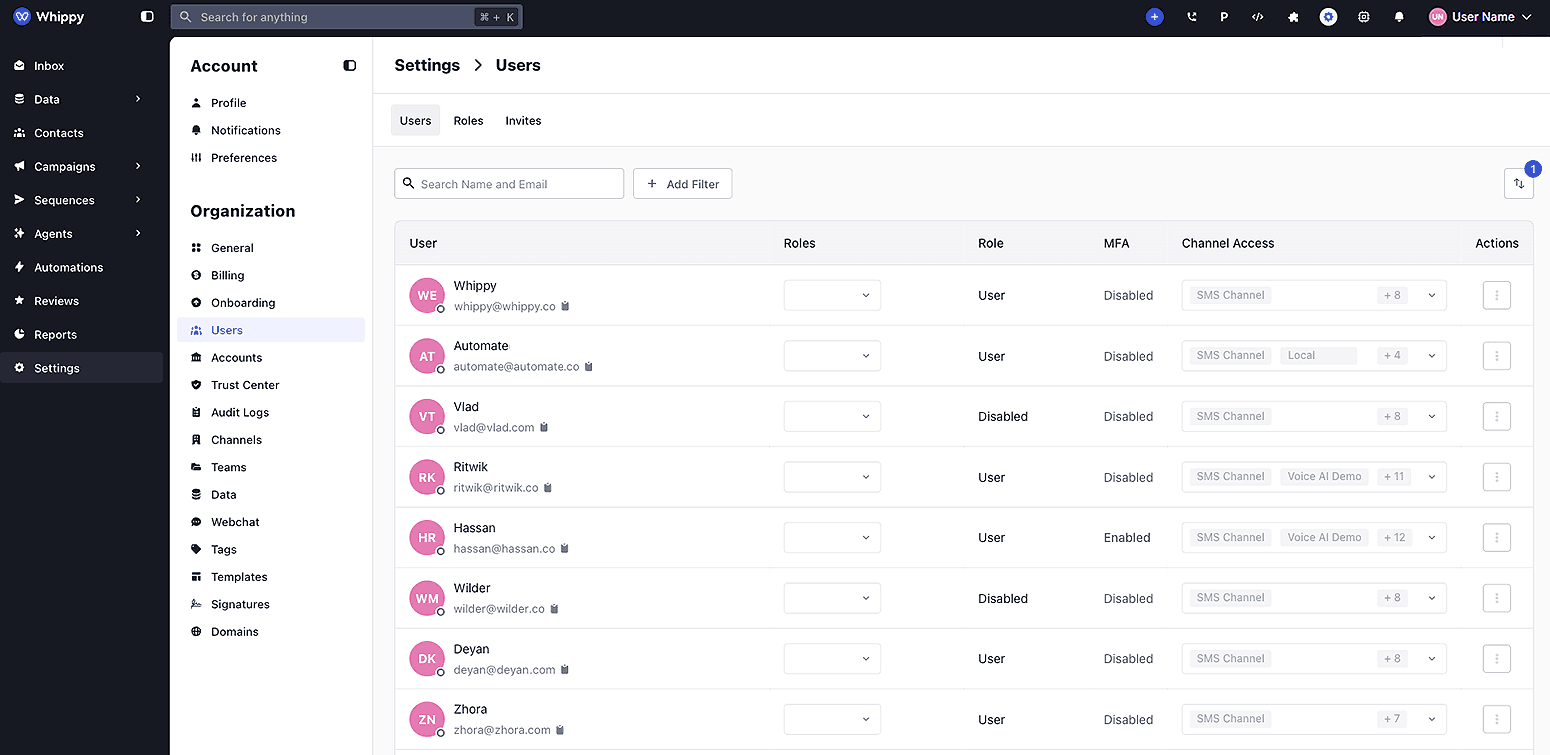
User avatars were unified across Whippy to clearly show who is available, on a call, or away without opening user profiles.
How It Works
Whippy now displays a single, consistent user avatar everywhere the team collaborates.
- Avatars show a profile photo when available or user initials when not.
- A live presence indicator appears directly on avatars in conversations, assignments, activity logs, and tables.
- Hovering over an avatar shows the user’s current status when enabled, including Available, On a Call, or Away, along with any custom emoji or status message.
Presence color legend:
- Green indicates the user is available and online.
- Orange indicates the user is currently on a call.
- Grey indicates the user is away or offline.
This update applies automatically and does not require setup or configuration.
Why It Matters
Clear presence indicators reduce guesswork during collaboration.
- Teams can route conversations and assign work faster.
- Busy inboxes are easier to manage with immediate visibility into availability.
- The interface stays consistent and easier to scan as teams grow.
This change improves day-to-day collaboration across Whippy while keeping the interface simple and predictable.