Added: Calendly Workflow Integration

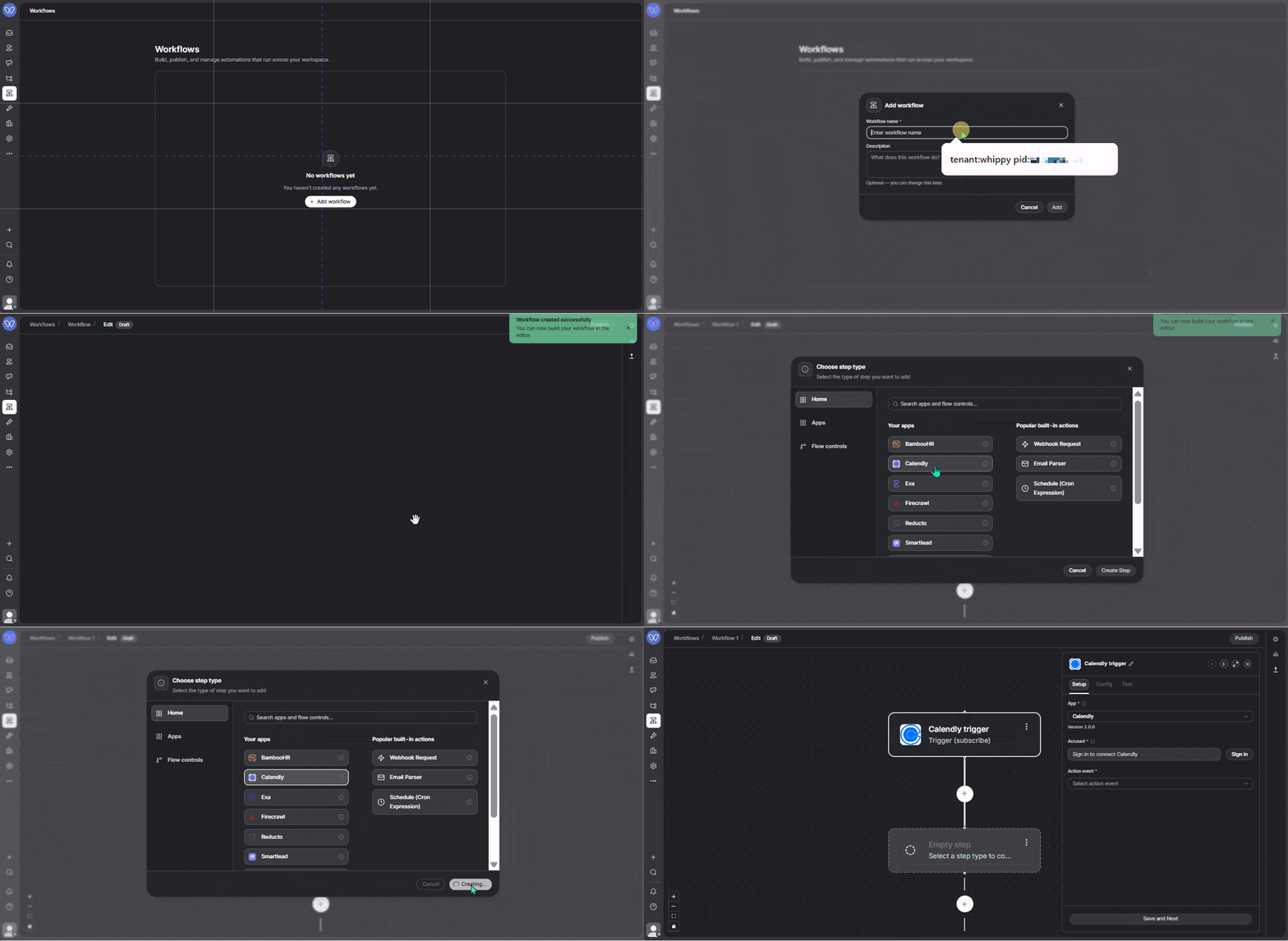
Whippy added a native Calendly app to its workflow builder, so teams can trigger automations the moment a meeting is booked or canceled and take action on Calendly data without leaving the workflow editor.
What's Included
Three real-time webhook triggers:
- Invitee Created: a prospect books a meeting
- Invitee Canceled: a booking is canceled
- Routing Form Submission Created: someone submits a Calendly routing form
Plus 56 additional steps to read, create, update, and delete Calendly data, including scheduled events, event types, invitees, availability, scheduling links, contacts, routing forms, webhooks, and more.
How It Works
When a trigger fires, the workflow has immediate access to the booking details. From there, it can enrich the contact, notify the team, update the CRM, or take any action available in Whippy Workflows.
Example: A prospect books a demo. The workflow enriches their profile via Apollo, sends that data to OpenAI to generate a short host prep note, and posts everything to Slack. The team sees who booked, when the call is, and context for the conversation before they ever open their calendar.
The same trigger can also update Whippy CRM, send an SMS or email, or chain additional Calendly steps like fetching event details or updating contact records.
Why It Matters
Acting on a Calendly booking used to mean checking an email notification, manually looking up the prospect, pinging the team, and writing prep notes. A process that worked fine until it got busy and steps got skipped.
This integration makes that entire sequence automatic and consistent, regardless of how full the day is.
Setup
- Go to Integrations → Calendly in your Whippy account
- Connect with a Calendly Personal Access Token
- Add a Calendly trigger or step to any workflow
- Publish. Webhook triggers register automatically.
Notes
- Webhook triggers require Calendly Paid Plan
- OAuth 2.1 support is planned for a future release