Added: Duplicate Workflows

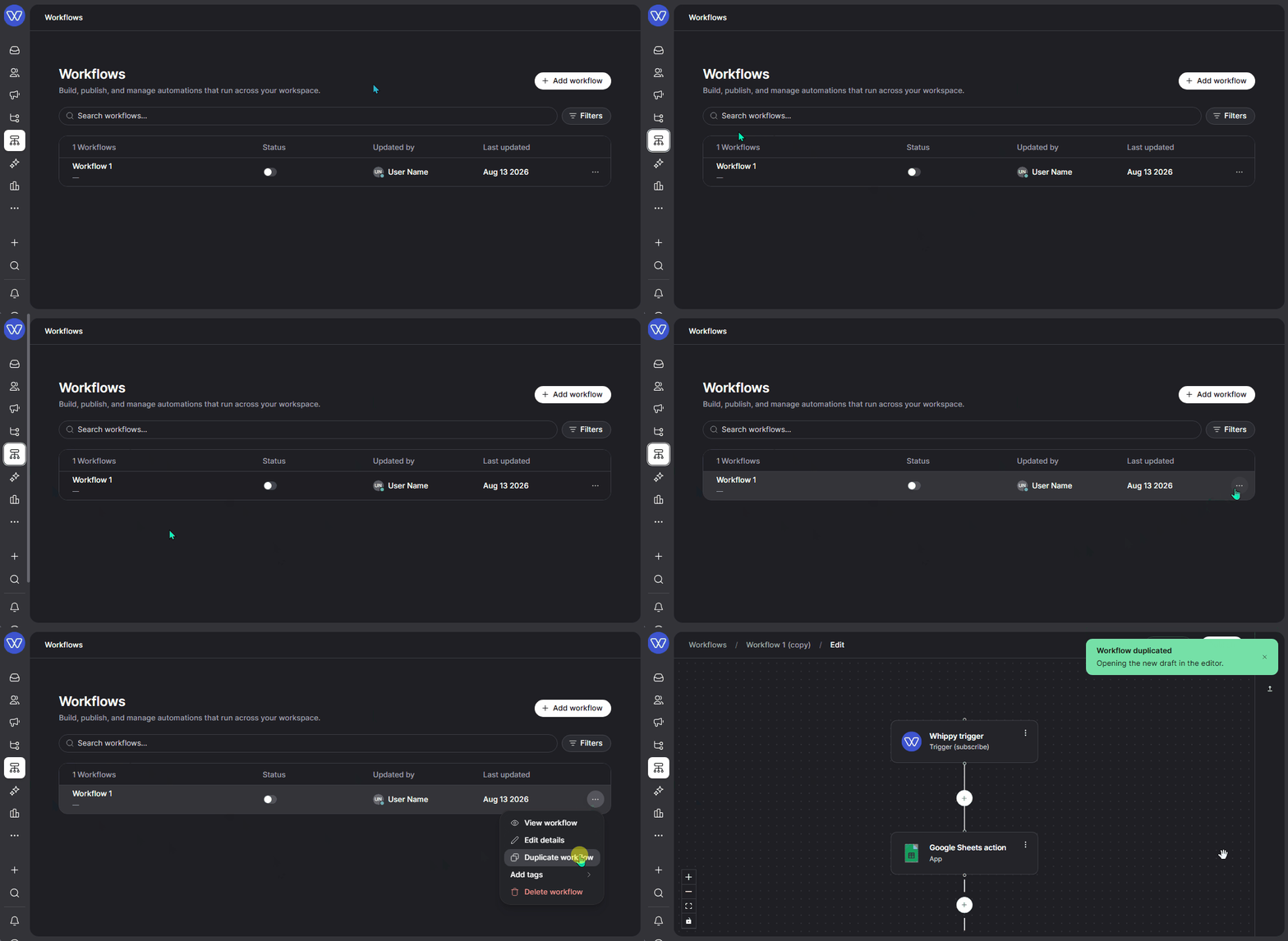
Whippy added the ability to duplicate any existing workflow directly from the workflow list, so teams can build new automations from a working template instead of starting from scratch.
What's included
- A duplicate action available directly from the workflow list
- Full copy of the original workflow's configuration, including steps, actions, and conditions
- The duplicated workflow appears in the list as a separate, editable workflow
How it works
From the workflows list, select the workflow you want to copy and choose duplicate. Whippy creates an exact copy of that workflow, including all existing steps, actions, and conditions. The new workflow is added to the list immediately, and you can rename it and update only the details that need to change for its new use case.
Why it matters
Building a complex workflow from zero takes time, especially when a similar one already exists. Duplication removes that repetition. Teams can reuse a proven workflow structure as a starting point and adjust only what's different, instead of rebuilding every step, action, and condition by hand.
Common use cases include:
- Duplicating a complex workflow and adjusting a few details for a new use case
- Reusing the same workflow structure across different campaigns or audiences
- Creating variations of an existing workflow without rebuilding it from the ground up
Notes
Duplicated workflows are independent of the original. Changes made to one do not affect the other.