


Table of Contents
- What Is an Auto Reply Text Message?
- Why Auto Reply Matters in Modern Communication
- How to Set Up Auto Reply on iPhone (iOS)
- How to Set Up SMS Auto Reply on Android
- Auto Reply for Business: Why It’s a Must
- Business Auto Reply Text Message Samples
- How to Send an Automated Text Message
- Why Whippy Is the Best Auto Reply Tool
- Tips for Better Auto Replies
- Final Thoughts: Take Control of Your Communication
- FAQ: Auto Reply to Text Messages
Try Whippy for Your Team
Experience how fast, automated communication drives growth.
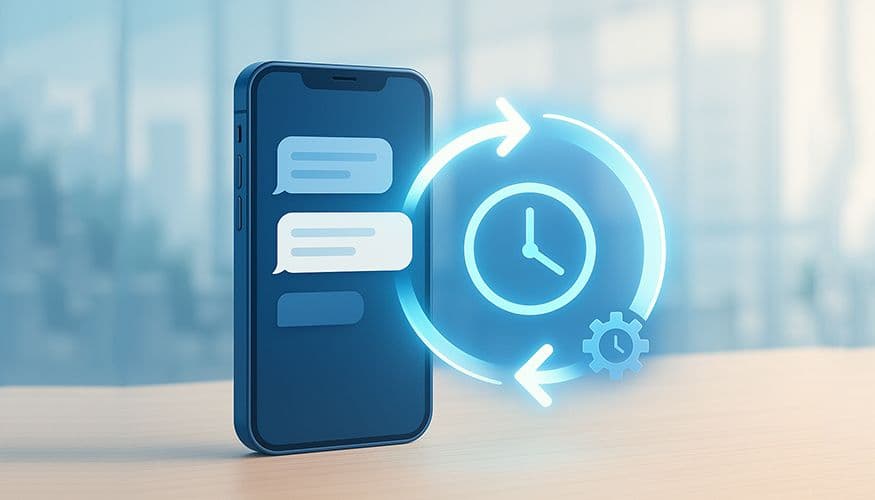
Want to automatically respond to incoming texts, whether you're driving, out of the office, or managing a busy business inbox? This complete guide walks you through how to auto reply to text messages across all major platforms, including Android, iPhone, and professional SMS tools like Whippy.
We’ll also cover how to use SMS auto reply features for business, templates, and how to set up workflows to save time and keep your communication channels professional and responsive. From setting up a text message autoresponder to using an AI-powered auto-responder bot, this article provides the clarity and step-by-step guidance you need.
What Is an Auto Reply Text Message?
An auto reply text message is a pre-written response automatically sent when someone texts you. Think of it like an "out-of-office" email, but for SMS.
Common use cases include:
- Driving or commuting
- Vacation or out-of-office status
- After-hours business auto reply text message
- Managing support queues with chatbot auto-reply or an auto-responder bot
- Using SMS keyword autoresponders for marketing campaigns
- Welcoming first-time guests or new leads with automated messages
You can use auto replies for both personal messages and business communication. Many people rely on this not just for convenience, but for ensuring that customer support inquiries, appointment confirmations, or lead responses don't fall through the cracks.
Why Auto Reply Matters in Modern Communication
We live in a world of instant messaging expectations. Customers and contacts often expect near-immediate response times across SMS, email, and social media.
But we all need time to focus, drive, take meetings, or rest. Auto reply tools help you set boundaries, manage expectations, and automate your communication.
For businesses, this is especially important. With team members working across different time zones and departments, having consistent auto reply workflows helps ensure:
- Professionalism
- Coverage during off-hours
- Faster routing of issues to the right support team
- Instant acknowledgement of incoming SMS messages
With a tool like Whippy, you can handle all this and more using AI-powered communication products that combine automation logic, SMS templates, and intelligent workflows to improve response times and customer experience.
How to Set Up Auto Reply on iPhone (iOS)
iPhones offer limited native support for auto reply, mainly through Focus Mode. Here’s how to set it up:
- Open Settings > Focus > Driving
- Tap Auto-Reply
- Select who receives replies (Recents, Favorites, or All Contacts)
- Enter your message (e.g., "I'm currently driving. I'll reply when safe.")
While helpful, this option only supports a single context and doesn't allow keyword-based triggers or workflow automation.
For more advanced features like keyword responses, scheduled messages, and more tailored automatic reply to texts iPhone users often need, consider integrating a third-party auto reply SMS app for iPhone or upgrading to a solution like Whippy that supports full-scale business texting. If you're looking for tools specifically designed for iOS, a good sms auto reply iPhone solution will let you configure replies more flexibly and align them with your business logic.
How to Set Up SMS Auto Reply on Android
Android devices allow more flexibility. If you’re searching for a reliable sms auto reply app for Android, you’ll find options that range from basic reply settings to advanced automation platforms. Many phones (especially those running newer versions of Android) include simple auto reply SMS Android tools that allow you to send a default message when calls or texts are missed.
However, for full control over your communication workflows, it's better to use a sms auto reply text message app that lets you create templates, assign triggers, and automate replies based on contact groups or time of day. These apps often support features like:
- Smart auto-responder bot functions
- Custom scheduling to schedule text messages in advance
- Mass texting configurations to manage mass texting auto-reply efforts
The most effective Android auto reply tools allow businesses and individuals to build workflows that can:
- Schedule and customize responses to incoming texts
- Route first-time guest inquiries, lead opt-ins, or support tickets
- Launch drip campaigns triggered by keyword inputs or form submissions
Whether you're an individual user or part of a larger team, Android’s open architecture provides the flexibility you need to implement a tailored and scalable auto reply SMS strategy.
Auto Reply for Business: Why It’s a Must
If you’re running a business, sending auto replies isn't just convenient, it's essential.
Benefits of auto reply SMS for business include:

Improved customer satisfaction with prompt SMS message replies
24/7 availability without hiring round-the-clock staff
Automatic routing of leads, service requests, and appointments
Better internal coordination across team members and departments
Personalized engagement for first-time guests or new subscribers
Whippy makes it easy to:
Build automated SMS workflows
Use auto-responder SMS, auto-reply AI, and text message autoresponders
Send replies using keywords, timing rules, or event triggers
Track conversations across your messages app, website, and CRM tools
Explore Whippy's automation features to streamline your business texting and deliver fast, effective responses.
Business Auto Reply Text Message Samples
Here are high-performing examples of auto reply text message sample for business use cases:
After-Hours Support
Thanks for contacting [Company Name]! We’re currently closed. A team member will reply during business hours (9AM–6PM).
Pro tip: Want to go beyond simple text replies? Explore our after-hours answering service guide to see how Voice AI can elevate your customer experience when your team is offline.
Out-of-Office Message
I'm currently out of the office until [Date]. For urgent needs, contact [backup email address or phone number].
Appointment Confirmations
Your appointment is confirmed for [Date/Time]. Text RESCHEDULE if needed.
For more wording ideas, explore these appointment confirmation text templates.
Welcome Message for First-Time Guests
Thanks for reaching out to [Business Name]! We’re excited to connect with you. A team member will follow up shortly.
For more inspiration, explore our detailed guide on crafting an automated message for first‑time guests.
Lead Nurturing / Sales Funnel
Thanks for your interest! A team member will reach out shortly. In the meantime, visit our website to learn more.
Use these auto‑reply templates as a starting point and adapt them to reflect your tone, timing needs, and audience expectations.
How to Send an Automated Text Message
If you're wondering how to send an automated text message, there are two main paths:
Scheduled Message – Pre-write and queue your message to send later. Great for appointment reminders, holiday closings, or event promos.
Trigger-Based Automation – Use actions (like a keyword or time delay) to launch a sequence of replies.
Tools like Whippy offer robust scheduling and automation features that connect seamlessly with your messages app and CRM, helping you manage automatic texting from a centralized dashboard. You can also schedule text messages in advance to support proactive communication efforts.
Want to connect your SMS automation with your favorite tools? Explore Whippy's integrations to see how easily it connects with your CRM, calendar, and more.
Why Whippy Is the Best Auto Reply Tool
If you’re looking for a reliable platform to manage everything from auto reply for business to automated SMS sequences, Whippy is purpose-built to help you grow.
With Whippy, you can:
Manage bulk SMS auto-reply campaigns across multiple teams and numbers
Automate appointment reminders, welcome messages for first-time guests, support flows, and marketing texts
Use AI-driven auto-reply templates, auto-reply examples, and text message autoresponders
Customize replies by time, audience segment, keyword, or department
Set up integrations with tools like Slack, HubSpot, and Gmail to build unified workflows
Whippy combines powerful automation, user-friendly UI, and seamless integrations with your existing tools, making it the all-in-one solution for modern SMS auto reply service needs.
Tips for Better Auto Replies
Make your auto-reply examples count by following these tips:
- Be clear and professional
- Set expectations for response times
- Offer alternate contact options like email addresses or links
- Keep tone consistent with your brand identity
- Personalize where possible (name, interest, or inquiry type)
- For businesses, ensure replies align with SMS and data compliance regulations
Final Thoughts: Take Control of Your Communication
Whether you’re a solo entrepreneur or managing a customer support team, using an auto reply app or full-scale SMS auto reply service can dramatically improve how you reply to texts.
With tools like Whippy, you can:
Build complete automated SMS sequences
Customize auto reply for business by schedule, segment, or keyword
Improve productivity by automating responses intelligently
Manage replies from your messages app, CRM, and website in one central place
Start smart. Start simple. And start automating your SMS replies today with Whippy ↗
FAQ: Auto Reply to Text Messages
Q: How do I auto reply to text messages?
A: To auto reply to text messages, you can use your phone’s built-in settings (such as Focus > Driving mode on iPhone) or install an SMS auto reply app. For businesses, using an automation platform allows you to trigger replies based on keywords, time of day, contact groups, or CRM actions.
Q: Can I auto reply to texts on iPhone?
A: Yes. iPhone users can enable auto reply through Settings > Focus > Driving mode. However, this only allows one default message. For keyword-based replies, scheduling, or business automation, you’ll need a third-party SMS auto reply app or a business texting platform.
Q: How do I set up auto reply SMS on Android?
A: Android devices support auto reply through built-in features or downloadable SMS auto reply apps. Most advanced solutions allow you to create message templates, schedule responses, and trigger automated replies based on keywords or missed calls.
Q: Can I auto reply to texts without Driving Mode?
A: Yes. While Driving Mode is a common option, you can use SMS automation apps or business messaging platforms to send automatic text replies without enabling Focus or driving settings.
Q: What is the difference between scheduled text messages and auto replies?
A: A scheduled text message is sent at a specific time you choose in advance. An auto reply is triggered automatically when someone sends you a message or performs a specific action, such as texting a keyword.
Q: Can businesses use auto reply for after-hours messages?
A: Yes. Businesses commonly use after-hours auto reply text messages to acknowledge customer inquiries, set expectations, and route urgent requests. Automation tools can also trigger follow-up sequences once business hours resume.
Q: Is there an AI that can automatically respond to text messages?
A: Yes. AI-powered auto-reply systems can understand incoming messages and respond with context-based answers instead of static templates. Platforms like Whippy use AI workflows to automate support, appointment confirmations, and lead responses.
Q: What is the best auto reply tool for business texting?
A: The best auto reply tool depends on your needs. Businesses typically look for automation rules, keyword triggers, CRM integrations, AI responses, and bulk SMS capabilities. Platforms like Whippy combine these features into a single communication dashboard.
Q: Can I create keyword-based auto reply messages?
A: Yes. Keyword-based auto reply systems send automatic responses when a user texts a specific word or phrase. This is commonly used for marketing campaigns, customer support routing, and SMS opt-ins.
Table of Contents
Table of Contents
- What Is an Auto Reply Text Message?
- Why Auto Reply Matters in Modern Communication
- How to Set Up Auto Reply on iPhone (iOS)
- How to Set Up SMS Auto Reply on Android
- Auto Reply for Business: Why It’s a Must
- Business Auto Reply Text Message Samples
- How to Send an Automated Text Message
- Why Whippy Is the Best Auto Reply Tool
- Tips for Better Auto Replies
- Final Thoughts: Take Control of Your Communication
- FAQ: Auto Reply to Text Messages
Try Whippy for Your Team
Experience how fast, automated communication drives growth.

Related Articles
Ecommerce SMS Marketing Guide: Strategies That Convert
 Elizabeth Long
Spam Trigger Words: The Complete List + How to Avoid Spam Filters
Elizabeth Long
How to Automate an SMS Sending Every Month
Elizabeth Long
Text Automation for Fitness Studios: Reminders & Retention
Elizabeth Long
Gym Answering Service with AI Voice & SMS Automation
Elizabeth Long
How to Send a Mass Text: Step-by-Step Guide for Businesses
Elizabeth Long