


Table of Contents
- Why Omnichannel Matters
- Omnichannel vs Multichannel Marketing
- Core Components of an Omnichannel Automation Platform
- Why Whippy Is Different From Traditional Marketing Automation Tools
- How Omnichannel Automation Works (Visual Overview)
- Why Voice Still Matters
- Strategies & Best Practices for Omnichannel Automation Implementation
- Examples of Omnichannel Marketing Automation Workflows
- Metrics, KPIs, and ROI
- Challenges & How Whippy Helps
- Getting Started with Whippy
- Final Takeaway
- FAQs About Omnichannel Marketing Automation
Try Whippy for Your Team
Experience how fast, automated communication drives growth.
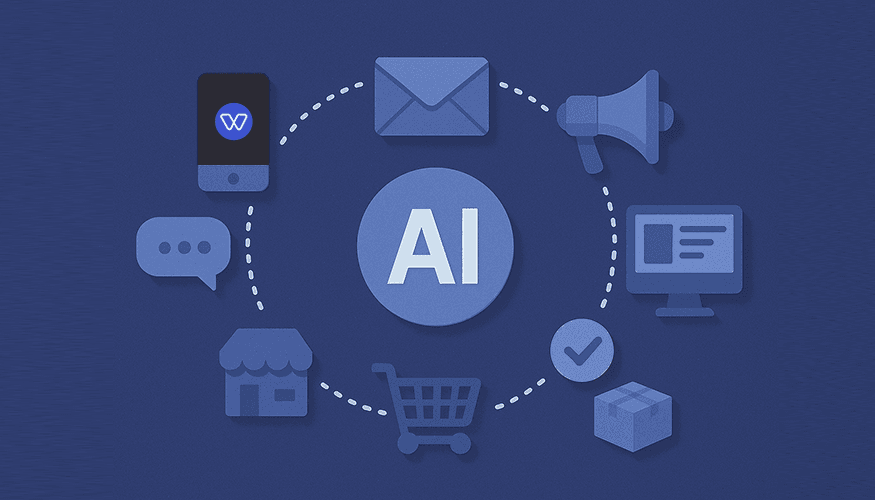
Omnichannel marketing automation is the use of unified customer data to automatically coordinate messaging across SMS, email, voice, chat, and web channels in real time. It enables businesses to deliver personalized, consistent customer experiences across every touchpoint from one centralized automation platform.
Omnichannel marketing automation coordinates campaigns across SMS, email, voice, chat, and web in a seamless, integrated way.
Unlike traditional multichannel marketing, where channels operate independently, omnichannel automation connects every touchpoint into one unified, data-driven ecosystem.
The result is consistent messaging, intelligent timing, and frictionless customer journeys no matter how customers interact with your brand.
With a modern omnichannel customer engagement platform like Whippy, businesses build unified 360° customer profiles that power real-time automation. These profiles allow marketing teams to segment audiences based on behavior, demographics, lifecycle stage, or purchase history, then trigger automated workflows that adapt instantly. By combining AI-driven personalization, predictive segmentation, and event-based triggers, every interaction, whether SMS, email, or Voice AI outreach, feels intentional and relevant.
The impact is measurable: higher conversion rates, stronger retention, improved customer lifetime value, and clearer attribution across channels. For example, one Express Employment location increased conversions by 56% after implementing automated cross-channel workflows. Another location reduced manual follow-ups and saved $90,000 per year by automating recruiting communications across SMS, email, and Voice AI.
Instead of sending disconnected campaigns, teams orchestrate coordinated journeys aligned to real customer behavior. For example, a retail brand can trigger an SMS reminder for an abandoned cart, follow up with a personalized email offer, and escalate to Voice AI if the message goes unopened, creating a consistent recovery experience across channels.
Omnichannel marketing automation applies across industries. A healthcare provider can send appointment reminders via SMS while delivering follow-up resources by email and confirming attendance with Voice AI. A SaaS company can onboard users with in-app prompts combined with personalized email sequences. A recruiting team can coordinate SMS scheduling, email confirmations, and automated voice reminders to reduce no-shows.
Use this guide to evaluate the strategy, workflows, tools, and capabilities your marketing automation platform needs to operate a modern, revenue-driven customer engagement program.
Why Omnichannel Matters
Today’s customers no longer tolerate fragmented communications—a core takeaway in the multichannel vs omnichannel debate. They expect seamless, personalized experiences that reflect their preferences across every touchpoint. One-off emails or disjointed texts no longer suffice. Instead, customers want:
- Consistency across channels: Whether they are interacting via mobile, email, chat, or web landing pages, customers expect a coherent message and unified brand experience.
- Real-time personalization: Their behaviors, past interactions, and stated preferences should dynamically shape the content and offers they receive, guided by predictive analytics and executed via real-time messaging.
- Conversational messaging: Human-like interactions powered by voice or chat, combined with coordinated voice, SMS, and email outreach, make engagement feel natural and responsive.
- Data-driven relevance: Insights drawn from unified customer data allow marketing teams to anticipate needs and serve content that truly resonates.
By unifying customer journeys across all touchpoints, omnichannel automation not only enhances engagement but also increases customer loyalty, reduces churn, and drives long-term customer lifetime value (CLTV). Furthermore, aligning campaigns with target audiences and their behavioral patterns enables businesses to design experiences that feel personal at every stage, from first awareness to post-purchase follow-ups.
Omnichannel marketing examples include: a travel company sending personalized flight updates via SMS, a curated email itinerary, and follow-up voice reminders; or an e-commerce brand that integrates push notifications, abandoned cart emails, and a conversational voice bot to guide potential customers to checkout. Each of these scenarios leverages the power of automation to engage users where they are most receptive.
To design these experiences, teams rely on customer journey mapping to identify pivotal moments and the CRM/CDP integration needed to activate them across channels.
Omnichannel vs Multichannel Marketing
Multichannel runs isolated campaigns per channel; omnichannel unifies data and orchestrates coordinated journeys across SMS, email, voice, chat, and web, driving consistent experiences, personalization, better measurement, and higher lifetime value.
Why multichannel underperforms today
- Siloed data: No single view of the customer; weak targeting.
- Inconsistent brand voice: Messages feel disjointed across channels.
- Reporting gaps: Hard to attribute impact across touchpoints.
- Slow reactions: Batch sends, limited real-time triggers.
- Frequency conflicts: Over-messaging or duplicated sends.
- Missed handoffs: Channel changes break the experience.
Why omnichannel wins
- Unified data (CDP/CRM): 360° profiles fuel precise segmentation via CRM/CDP integration.
- Journey orchestration: Right message, right channel, right time.
- AI-driven personalization: Content adapts to behavior in real time.
- Clear measurement: Campaign analytics tied to ROI, CLTV, retention.
- Resilience: Built-in fallback channels prevent dead ends.
- Governance: Consents, quiet hours, and frequency caps enforced consistently.
Clean comparison with concrete examples
Aspect | Multichannel (how it works + example) | Omnichannel (how it works + example) |
|---|---|---|
Data | Each channel stores its own list; email tool doesn’t “see” SMS history. | Unified data via CDP/CRM; email, SMS, voice, chat events enrich one profile. |
Journeys | Separate blasts per channel; user gets unrelated messages. | Journey orchestration: after a signup, send SMS → wait → email → in-app nudge. |
Personalization | Name merge-tags only; same content for everyone. | AI-driven, dynamic personalization: offers change based on browse/cart behavior powered by predictive analytics. |
Brand consistency | Tone/design varies by team/tool. | Content consistency: shared templates ensure the same voice across channels. |
Measurement | Channel-level opens/clicks only. | Cross-channel attribution: track lift in conversion, metrics (e.g. retention – CLTV), and ROI. |
Fallback & resilience | If SMS fails, the flow stops. | Fallback channels: SMS undelivered → WhatsApp → email → Voice AI follow-up. |
Real-time triggers | Limited or manual; delays common. | Event/webhook triggers: cart_abandoned fires instant SMS then conditional email. |
Team workflow | Multiple tools; copy/paste between systems. | Single workspace: shared inbox, sequences, templates, permissions, and audit trail. |
Core Components of an Omnichannel Automation Platform
1) Public API & Webhooks
Whippy’s Public RESTful API and webhooks let you connect systems, trigger journeys, and react to events in real time, plugging directly into automation tools and your CRM/CDP integration.
Examples in action
- cart_abandoned webhook → Voice follow-up: When a cart is abandoned, fire a webhook that triggers a Voice AI call, then send an SMS recap with a checkout link if unanswered.
- Sentiment-aware service: On an event such as “message received”, auto-create a support ticket, notify the team inbox, and start a recovery sequence.
2) Automations & Sequences
Sequences are multi-step automated workflows spanning SMS, email marketing, voice, push, in-app, and web personalization, designed from customer journey mapping and powered by automation tools.
Examples in action
- Step-by-step flow: Trigger (signup) → SMS welcome → Wait 2h → Email getting-started tips → If unopened → Voice AI check-in → If converted → suppress future touches.
- Behavioral branch: If user clicks email but doesn’t activate, send in-app prompt; if no app activity, switch to WhatsApp the next day.
3) Omnichannel Support
Orchestrate SMS & email marketing automation, inbound/outbound voice, mobile push & in-app messaging from one customer engagement platform.
Examples in action
- Automatic order updates sent through the next preferred channel if SMS is undelivered.
- In-app nudge triggered by an event such as “logged_in but not activated”, paired with a same-day email summary.
4) Integrations
Connect CRMs, ATSs, forms, analytics, and data sources through CRM/CDP integration to build unified customer profiles and power real-time journeys.
Examples in action
- ATS → interview Sequence: New candidate stage = “Interview” → SMS scheduling link → Email calendar invite → Voice AI confirmation the day before.
- Form submit → onboarding: Device/form submission triggers welcome Sequence with web personalization based on captured fields.
5) Analytics & Reporting
Measure performance across channels, journeys, and segments with campaign analytics and actionable insights, including KPIs to measure omnichannel marketing success and advanced predictive analytics.
Examples in action (key metrics)
- Delivery & engagement: SMS delivery rate (DLR), email opens/clicks, reply rate across messaging channels, call connection/completion.
- Speed & outcomes: Time to first response, step-level conversion rate, drop-off step diagnostics.
- Business impact: Metrics (e.g., retention, CLTV), opt-out/fatigue rate, per-channel cost and cost savings from automation.
6) Templates, Custom Objects & Properties
Ensure brand consistency with templates; personalize at scale using custom objects/properties and dynamic content.
Examples in action
- VIP branching: If membership_tier = VIP, show priority offer and reduce frequency by 50%.
- Dynamic picks: Use last_browsed_category to inject the right products into email/SMS.
7) Ease of Use + Low Code
Build fast with a visual Channel Editor, no-code templates, and optional low-code extensions.
Examples in action
- Marketer-built in minutes: Drag a welcome Series with fallback and suppression rules.
- Developer add-on: Post a webhook to your billing system when a sequence completes (for example, onboarding).
8) Developer Portal & Onboarding
Spin up quickly with API keys, guides, and recipe libraries for common journeys, including how to automate omnichannel marketing for SMBs with out-of-the-box Sequences.
Examples in action
- Copy a recipe: Import “Cart Recovery” Sequence, swap templates, go live same day.
- Add an event: Emit when an account is upgraded (for example, “account_upgraded”) to trigger a win-back suppression and loyalty SMS.
These building blocks deliver a powerful customer engagement automation platform designed for coordinated, real-time messaging across every channel.
Why Whippy Is Different From Traditional Marketing Automation Tools
Most traditional marketing automation tools were built for email-first campaigns. SMS, voice, and real-time orchestration are often add-ons, not core architecture. This leads to siloed data, delayed triggers, and disconnected customer experiences.
Whippy was built differently. It is designed as a true cross-channel automation system from the ground up.
Here’s what sets it apart:
1. Native Voice AI Integration
Voice is not an external integration or third-party bolt-on. Whippy includes built-in Voice AI inside the same workflow builder as SMS and email. This allows teams to escalate outreach in real time when messages go unopened or when high-intent signals are detected.
2. Real-Time Fallback Orchestration
Traditional tools rely heavily on batch sends and scheduled sequences. Whippy enables dynamic fallback logic. If SMS fails, the system can automatically switch to WhatsApp, email, or Voice AI based on delivery status, behavior, or event triggers.
This ensures no opportunity is lost due to channel limitations.
3. Unified SMS, Email, and Voice in One Workflow Builder
Instead of managing separate dashboards for different channels, Whippy provides a unified messaging platform where SMS, email, and Voice AI operate within a single visual workflow. This reduces complexity and improves campaign coordination.
4. Built for SMBs and High-Growth Teams
Many enterprise automation platforms are expensive, complex, and require dedicated technical teams. Whippy is designed to deliver enterprise-level orchestration with SMB-friendly implementation, low-code tools, and faster deployment cycles.
5. True Event-Based Triggers, Not Just Batch Campaigns
Whippy supports real-time event-driven automation through APIs and webhooks. Instead of sending campaigns at scheduled intervals only, workflows can trigger instantly based on user behavior, lifecycle changes, cart abandonment, application stages, or account activity.
This creates responsive, behavior-based journeys rather than static drip campaigns.
How Omnichannel Automation Works
(Visual Overview)
Modern omnichannel automation platforms coordinate messaging across multiple channels using structured workflows and real-time logic. While specific use cases may vary, most automated customer journeys follow a consistent architectural pattern:
Entry Signal → Unified Data Layer → Decision Engine → Channel Selection → Smart Fallback → Analytics & Optimization Loop
The diagram below illustrates how this process operates within a cross-channel automation system like Whippy.

Figure: Conceptual omnichannel automation workflow architecture.
At a high level, automation begins when a user action or system event triggers a workflow. Customer context informs AI-driven decision logic, which selects the optimal messaging channel. If engagement does not occur, the system escalates intelligently to the next channel. Every interaction feeds back into analytics dashboards, allowing teams to continuously refine performance.
Compliance & Deliverability
Design journeys that respect preferences and maximize reach, without fatigue, helping your unified messaging platform remain trusted, compliant, and effective.
- Consent & opt-outs: Capture opt-in; honor STOP/UNSUBSCRIBE and regional rules.
- Quiet hours & time zones: Enforce windows automatically per contact’s locale.
- Frequency caps & suppression: Limit daily/weekly sends; stop on conversion.
- Fallback hierarchy: If SMS fails, escalate to email or Voice AI based on fallback logic.
- Sender reputation hygiene: Maintain list quality; remove hard bounces; respect complaint signals.
Why Voice Still Matters
Voice is the most personal, immediate channel, and with Voice AI inside a customer engagement platform, you add reach, speed, and a human touch to automation.
Why voice differentiates Whippy
- Reliable fallback: If SMS/email fail or unopened, Voice AI escalates and closes the loop.
- Human-like engagement: Natural conversations build clarity and trust versus text alone.
- Always-on & multilingual: Reduces missed connections across time zones.
- Faster conversions: Real-time answers reduce friction at high-intent moments (quotes, scheduling, checkout).
Impact you can expect

Shorter time-to-first-response and fewer missed connections.
More recovered opportunities through timely escalation.
Significant cost savings vs. staffing every call manually while keeping quality high.
Mini use cases (plug-and-play)
- Interview scheduling: SMS link → email confirmation → Voice AI reminder day before.
- Renewal save: In-app prompt → email offer → Voice AI to address objections & confirm.
- Payment reminder: Email invoice → SMS nudge → Voice AI to confirm & route questions.
- Healthcare appointment: SMS date/time → email prep instructions → Voice AI day-of confirmation + reschedule option.
Learn more: Whippy Voice AI
Strategies & Best Practices for Omnichannel Automation Implementation
Turn strategy into execution with a simple, repeatable playbook, an omnichannel marketing guide you can implement in any marketing automation platform. The goal: unify data, orchestrate cross-channel journeys, and optimize for ROI, CLTV, and retention, without adding bloat.
Step-by-step implementation plan
1. Map one journey first
Choose the highest-impact flow (e.g., cart recovery, lead nurture, renewal save). Define: entry trigger, success event, decision branches, fallback channels, and suppression on conversion.
2. Unify data & segments with CRM/CDP integration
Connect CRM/CDP and import custom properties (consent, timezone, lifecycle stage, last activity). Build initial audience segmentation (e.g., VIP, trial, dormant).
3. Draft channel-aligned templates in your marketing automation software
Create consistent message templates for SMS, email, and Voice AI with one offer, one CTA, and the same tone. Add dynamic fields for behavioral data (last browsed, last purchase, stage).
4. Build the Sequence
Implement a clear path (Trigger → SMS → Wait/Branch → Email → Voice/WhatsApp as fallback). Add frequency caps, quiet hours, and suppression logic (stop when goal met).
5. Instrument KPIs to measure omnichannel marketing success & diagnostics
Define journey KPIs (conversion rate, time-to-first-response, retention impact) and channel metrics (DLR, opens/clicks, reply rate). Tag each step so campaign analytics reveal drop-offs.
6. Launch to a pilot segment
Start small (region or cohort). Validate deliverability, opt-out handling, and step timing before rolling out.
7. Iterate weekly
Review results, refine timing and copy, adjust fallback hierarchy (e.g., SMS → WhatsApp → Email → Voice AI), and expand to new segments only after the pilot wins.
This phased approach is ideal for how to automate omnichannel marketing for SMBs, start with one journey, prove value, then expand confidently.
A/B testing & optimization loops
- Hypothesis first: e.g., “Short SMS + clear CTA improves replies by 15%.”
- What to test: subject/preview lines, send-time windows, wait durations, offer framing, channel order (SMS-first vs email-first), with/without Voice AI.
- Design rules: one or two variables at a time; include a holdout; avoid overlapping tests on the same audience; run to significance.
- Metrics that matter: primary (conversion/reply), plus diagnostics (step-level drop-off, opt-out/fatigue rate, bounces).
- Promote winners quickly: set “stop/roll” thresholds; archive losing variants; document learnings.
- Close the loop: feed insights into templates, audience segmentation, and the fallback order; re-test quarterly as behavior shifts.
Compliance, deliverability & governance
- Consent & opt-outs: capture opt-in, honor STOP/UNSUBSCRIBE, and comply with regional rules.
- Quiet hours & time zones: enforce local windows automatically.
- Frequency caps: limit touches per day/week; suppress after conversion or negative signals.
- Healthy lists: remove hard bounces, manage complaints, and keep sender reputation strong.
- Fallback logic: define the exact hierarchy (e.g., SMS → WhatsApp → Email → Voice AI) and the wait window between steps.
Pre-launch checklist
Before launching, ensure you have:
☐ Unified data (one profile per contact; timezone, consent, lifecycle)
☐ Opt-ins captured and opt-out flows verified
☐ Templates aligned across channels (tone, offer, CTA, dynamic fields)
☐ Frequency rules (caps, quiet hours, suppression on conversion)
☐ KPIs defined (conversion, time-to-first-response, retention/CLTV, ROI)
☐ Fallback order and timing documented
☐ Control/holdout segment for measurement
This structure keeps the program lean, measurable, and scalable, so you can add journeys confidently while improving customer experience, conversion rates, and long-term value.
Examples of Omnichannel Marketing Automation Workflows
Use these paste-ready, scannable recipes to launch high-impact journeys fast. Each one lists the trigger, the sequence steps across channels, the fallback, and the suppression rule to stop messaging after success.
1) E-commerce Cart Recovery
Trigger: cart_abandoned (no checkout within 60–120 minutes)
1. SMS: Friendly reminder + deep link back to cart.
2. Wait 6–12h → If no click: Email marketing with dynamic product recommendations and free-shipping/return info.
3. Wait 24h → If unopened: Voice AI call to answer questions or offer assistance; send SMS recap with checkout link.
4. Fallback: If SMS is undelivered, attempt WhatsApp before email; if email bounces, escalate to Voice AI.
5. Suppress: Stop all touches when order is completed; tag contact “Recovered Cart”.
Optional KPIs: cart recovery rate, time-to-recovery, step-level drop-off, opt-out rate.
2) Recruiting Interview Scheduling
Trigger: ATS stage changes to Interview
1. SMS: Share self-serve scheduling link; request preferred time window.
2. Email: Send calendar invite + role details once a slot is picked.
3. Wait 24h → If no slot selected: Automated reminder via the next preferred channel.
4. Day-before: Voice AI confirmation call with reschedule option; follow with SMS summary.
5. Suppress: On completed interview, stop sequence; tag outcome for next-step automation.
Optional KPIs: time-to-scheduled, show rate, reschedule rate, candidate satisfaction proxy (reply sentiment).
3) SaaS Renewal Save
Trigger: renewal_due_in_14_days OR low_usage_last_30_days
1. In-app: Value recap (features used, outcomes) + quick-start resources.
2. Email: Renewal offer with ROI calculator/case proof; CTA to manage plan.
3. Wait 48h → If no click: SMS check-in asking for blockers.
4. Wait 24h → If no reply: Voice AI to address objections live and route to an agent if needed.
5. Suppress: On renewal or planned downgrade; move contact to post-renewal success journey.
Optional KPIs: renewal rate, save rate for low-usage cohort, time-to-decision, incremental CLTV.
4) Retail Loyalty Push
Trigger: points_threshold_reached OR no_purchase_30_days (tie into loyalty programs to reward engagement)
1. SMS: Personalized offer based on last_browsed_category; include store/online CTA.
2. Email: Dynamic recommendations + countdown until offer expires.
3. Wait 24h → If SMS undelivered: Send a follow-up message via an alternate messaging channel.
4. If still inactive after 72h: Voice AI reminder with store hours or assistance; follow with SMS recap.
5. Suppress: On redemption/purchase; tag for next lifecycle campaign (e.g., post-purchase cross-sell).
Optional KPIs: reactivation rate, offer redemption rate, lift in AOV, frequency-cap compliance.
Pro tip: Mirror these patterns in your builder: Trigger → Channel A → Wait/Branch → Channel B → Fallback → Suppress on success. Always enforce consent, quiet hours, and frequency caps, and review time-to-first-response, conversion, retention/CLTV, and opt-out to optimize each step.
Explore Product Events Marketing Automation for additional real-world workflow examples.
Metrics, KPIs, and ROI
Tracking the right performance metrics is critical for measuring the success of omnichannel marketing automation. Real-world results show how powerful coordinated automation can be. One staffing firm using AI-powered recruiting workflows saved over $1 million by automating high-volume outreach and follow-ups. In another case, a commercial real estate agent used cross-channel automation to close a deal that resulted in a $198,000 commission.
Emphasize KPIs to measure omnichannel marketing success and analyze metrics (e.g., retention, CLTV) over time:
- Conversion rates across channels, landing pages, and workflows
- Customer retention and churn reduction, showing how automation helps improve retention and loyalty
- Customer lifetime value (CLTV) to measure the long-term impact of personalized campaigns
- Revenue impact and ROI to evaluate cost-effectiveness
- Mobile engagement, web/app personalization metrics, and social media interactions to understand which channels drive meaningful results
With AI for marketing automation, Whippy provides predictive insights and real-time reporting, enabling marketing teams to analyze customer behavior, identify high-performing touchpoints, and optimize cross-channel campaigns. These insights allow teams to refine messaging, improve digital channels, and deliver data-driven marketing that maximizes engagement and revenue impact.
Challenges & How Whippy Helps
Implementing omnichannel marketing automation comes with several challenges, but Whippy provides solutions to address them:
Data Silos
Consolidating data across multiple systems is critical. Whippy integrates with CRMs, CDPs, and other platforms to centralize customer data management, enabling audience segmentation and triggered campaigns.
Channel Fatigue
Customers can become overwhelmed with repeated messages. Whippy orchestrates cross-channel campaigns, balancing touchpoints across SMS, email, voice, and apps, ensuring engaged customers receive timely, relevant messages without overload.
Complexity
Managing voice + SMS + email omnichannel automation can be difficult for teams with limited technical resources. Whippy’s low-code and no-code tools make it simple to build workflows, sequences, and triggers while maintaining consistency across channels.
Deliverability
Messages may fail to reach customers if channels are not monitored. Whippy tracks performance metrics across all touchpoints, including SMS marketing, emails, and digital channels, ensuring campaigns reach the intended audience and deliver measurable ROI.
By addressing these challenges, Whippy helps marketing teams optimize campaigns, improve engagement, and create meaningful experiences for loyal customers.
Getting Started with Whippy
Launching omnichannel marketing automation with Whippy is straightforward:
1. Import contacts and set up custom properties to capture audience preferences and support audience segmentation.
2. Build Sequences with triggers, templates, and step actions to create cross-channel campaigns, including SMS & email automation and Voice AI touchpoints.
3. Connect CRMs, ATSs, and marketing integrations for seamless data integrations and centralized customer data management.
4. Add Voice AI to ensure 24/7 engagement and provide personal, conversational outreach.
5. Monitor KPIs and performance metrics to measure campaign success, optimize workflows, and ensure ROI.
By following these steps, businesses can deploy cost-effective automation and improve retention and loyalty across all digital channels.
Related reading: Common Marketing Automation Mistakes.
Final Takeaway
Omnichannel marketing automation is no longer optional, it’s essential for delivering consistent, personalized experiences across every touchpoint with a scalable marketing orchestration system your team can operate confidently. With Whippy, marketing teams gain:
Unified data & 360° customer profiles for effective audience segmentation through CRM/CDP integration
Automated workflows across SMS, email, Voice AI, and other digital channels
AI marketing automation for predictive personalization and behavior-based triggers
Voice AI to scale conversations, fill gaps, and retain customers
Analytics & insights, including performance metrics, to measure ROI and optimize campaigns
Whippy makes it easy for SMBs and enterprises alike to transform automation into meaningful, measurable customer journeys, building loyal customers and delivering a cost-effective omnichannel strategy.
Ready to Turn Omnichannel Automation Into Revenue?
See how unified SMS, Email, and Voice AI automation can increase conversions, reduce churn, and recover missed opportunities in real time.
Request a personalized demo ↗
FAQs About Omnichannel Marketing Automation
Q: What is omnichannel marketing automation?
A: Omnichannel marketing automation is the use of unified customer data to coordinate automated messaging across SMS, email, voice, chat, and web channels in real time. It allows businesses to deliver consistent, personalized communication across every touchpoint while managing campaigns from a single centralized platform.
Q: How is omnichannel marketing different from multichannel marketing?
A: Multichannel marketing runs separate campaigns across different channels, often without shared data. Omnichannel marketing connects all channels into one unified system, using centralized customer data to orchestrate coordinated journeys. This ensures consistent messaging, real-time personalization, and accurate cross-channel measurement.
Q: What tools are used for omnichannel marketing automation?
A: Omnichannel marketing automation platforms typically include workflow builders, CRM/CDP integrations, segmentation tools, API and webhook capabilities, AI personalization engines, and cross-channel messaging features such as SMS, email, Voice AI, chat, and push notifications. Advanced platforms also provide analytics, fallback logic, and consent management.
Q: Is omnichannel marketing automation expensive?
A: The cost depends on platform features and usage volume. Many modern omnichannel automation tools are designed for SMBs as well as enterprises. By consolidating SMS, email, and voice automation into one system, businesses often reduce software overlap and manual labor costs, improving overall ROI.
Q: How can SMBs implement omnichannel marketing automation?
A: SMBs should start with one high-impact journey, such as cart recovery or lead nurturing. First unify customer data through CRM integration, then build a simple cross-channel workflow using SMS, email, and voice as needed. Launch to a pilot segment, measure results, and expand gradually.
Q: What KPIs measure omnichannel marketing success?
A: Key performance indicators include conversion rate, time to first response, customer retention, churn reduction, customer lifetime value (CLTV), reply rate, delivery rate, and campaign ROI. Step-level drop-off analysis and opt-out rates also help optimize cross-channel performance.
Q: Does omnichannel marketing automation increase ROI?
A: Yes. By coordinating messaging across channels and personalizing communication based on behavior, omnichannel automation reduces wasted impressions and improves conversion rates. It also increases retention and customer lifetime value, which directly impacts long-term revenue growth and ROI.
Q: Why is Voice AI important in omnichannel automation?
A: Voice AI adds a real-time, conversational layer to automated workflows. When SMS or email goes unopened, Voice AI can escalate outreach, answer questions instantly, and reduce friction at high-intent moments. This improves response speed, closes more opportunities, and strengthens customer experience.
Table of Contents
Table of Contents
- Why Omnichannel Matters
- Omnichannel vs Multichannel Marketing
- Core Components of an Omnichannel Automation Platform
- Why Whippy Is Different From Traditional Marketing Automation Tools
- How Omnichannel Automation Works (Visual Overview)
- Why Voice Still Matters
- Strategies & Best Practices for Omnichannel Automation Implementation
- Examples of Omnichannel Marketing Automation Workflows
- Metrics, KPIs, and ROI
- Challenges & How Whippy Helps
- Getting Started with Whippy
- Final Takeaway
- FAQs About Omnichannel Marketing Automation
Try Whippy for Your Team
Experience how fast, automated communication drives growth.

Related Articles
Ecommerce SMS Marketing Guide: Strategies That Convert
 Elizabeth Long
Top Business Messaging Platforms with AI (2026 Guide)
Elizabeth Long
Best Mass Texting Service for Businesses in 2026
 Jack Kennedy
Customer Communication Platform with AI & Omnichannel
Elizabeth Long
Common Marketing Automation Mistakes to Avoid
Elizabeth Long
Online Marketing and Automation Solutions for Attorneys
Elizabeth Long