


Table of Contents
- What is a PK Software SMS integration?
- Why SMS messaging reduces pharmacy call volume (and improves adherence)
- How the Whippy + PK Software (RXcmpd) integration works
- High-impact pharmacy SMS use cases (with examples)
- Key benefits for pharmacies
- Is pharmacy text messaging HIPAA compliant? What you need to know
- How to set up your PK Software SMS integration in 5 steps
- Final thoughts
- FAQ
Try Whippy for Your Team
Experience how fast, automated communication drives growth.
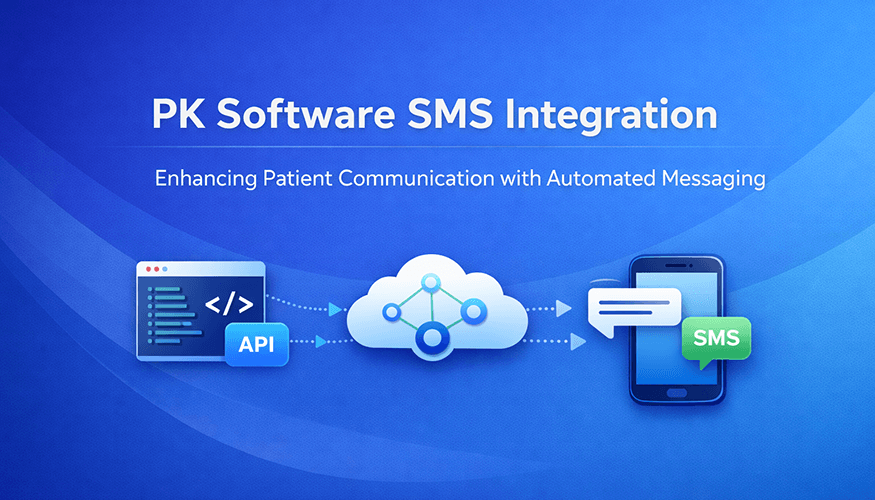
Independent pharmacies dispense an average of 217 prescriptions per day (NCPA, 2025), and up to 30% of new prescriptions are never picked up, representing wasted prep time and lost revenue. Meanwhile, text response rates are 209% higher than phone calls, and SMS has a 98% open rate vs ~20% for email. A PK Software SMS integration with Whippy converts those missed touchpoints into automated, two-way conversations, so patients get updates instantly and your staff spends less time on hold.
A PK Software SMS integration with Whippy adds HIPAA-aligned two-way text messaging to your pharmacy workflow, so you can automate routine messages, reduce call volume, and keep every patient interaction organized as a PK Software integration that fits into daily operations.
What is a PK Software SMS integration?
A PK Software SMS integration connects PK Software (RXcmpd) to a secure texting platform designed for secure messaging, so pharmacies can send and receive text messages for refills, pickup alerts, order updates, and patient questions with two-way texting for pharmacies built into the workflow.
In practical terms, it adds texting directly into the workflows your team already uses, so communication does not live in a separate tool or on someone’s personal device. When the messaging layer seamlessly integrates with the system your staff is already working in, it becomes much easier to keep conversations consistent, timely, and organized with HIPAA-aligned workflows designed to support your compliance requirements.
With Whippy + PK Software, you can automate high-volume messages like refill reminders, ready-for-pickup alerts, and prescription pickup reminders, while still giving patients a simple way to reply with questions. That two-way interaction is where a lot of value shows up.
Patients can confirm, ask for a delivery option, request a refill, or clarify pickup hours without sitting on hold. Meanwhile, your team can receive SMS messages in a shared inbox and handle multiple conversations efficiently, which helps save time during peak hours.
Because messages and outcomes are recorded, staff can also reference prior conversations quickly instead of starting over each time, which supports continuity and can help ensure compliance with your pharmacy’s communication and privacy policies.
In short, the integration helps you deliver faster patient updates, reduce phone congestion, and keep your workflow clean, trackable, and cost effective as message volume grows, without adding another separate message service for staff to manage.
Why SMS messaging reduces pharmacy call volume (and improves adherence)
Texting has become one of the most effective ways for pharmacies to reach patients because it is fast, familiar, and easy to act on. It also fits naturally into how patients already manage day-to-day tasks. When someone is juggling work, family, and appointments, a clear text is often more helpful than a missed call or a voicemail they plan to check later. For pharmacy teams, this creates a more reliable channel for delivering updates that patients actually see, improving patient engagement without extra calls.
Faster engagement that supports patient care
Patients tend to notice texts quickly, which matters when timing affects outcomes. A refill reminder, a ready-for-pickup notification, or a brief status update can prevent delays and support medication adherence over time. This is also where prescription pickup reminders can make a measurable difference. A simple follow-up can reduce abandoned prescriptions and help patients stay on track without requiring extra phone outreach from staff.
Less phone tag, more convenience
Instead of repeated calls and voicemails, patients can respond when it works for them. That flexibility lowers friction for the patient and reduces the back-and-forth that slows staff down. One staff member can manage multiple conversations at once, which makes it easier to keep up with routine questions like hours, pickup status, refill timing, and basic next steps. Over time, this approach can reduce inbound call volume and keep lines open for situations that truly need a voice conversation.
Better workflow for pharmacy staff
Texting shifts many repetitive requests away from the phones and into a format that is easier to triage and resolve. Messages can be handled in order, assigned internally, and answered with consistent templates where appropriate. The result is fewer interruptions, faster resolutions, and more focus for pharmacists and technicians who need to spend their time on complex consultations and patient care.
Scalable messaging for high-volume pharmacies
Whether you are a compounding pharmacy or a traditional pharmacy, pharmacy SMS notifications can scale during peak hours without overwhelming your team. That scalability is not only about sending more texts. It is about keeping communication manageable when volume rises. When messaging is centralized and organized, staff can maintain response quality even during busy pickup windows, seasonal spikes, or staffing constraints.
How the Whippy + PK Software (RXcmpd) integration works
Whippy adds an AI-driven approach to PK Software text messaging so routine communication is automated and conversations stay organized. The core advantage is that Whippy connects to the moments that already exist in your RXcmpd workflow, then turns those moments into timely patient communication through a pharmacy SMS API that can trigger messages based on real workflow events. Instead of relying on staff to remember every outreach step, the system supports consistent follow-through while still giving your team full control over what gets sent and when.
Automated workflow triggers
Use HIPAA-aligned workflows to send timely automated text messages when key events happen, such as refill due dates, prescriptions marked ready for pickup, delayed pickups, and compounding order updates. These triggers reduce manual follow-ups and help staff stay consistent, especially when the pharmacy is busy. They also support smoother handoffs across the team because the right message can go out at the right point in the process without someone needing to stop what they are doing to send it.
Just as importantly, the integration supports data sharing across the workflow. When your messaging activity aligns with the patient record and order activity, staff can see what was sent, what the patient replied, and what the next step should be, without jumping between systems.
Two-way texting with centralized visibility
Patients can reply to texts with questions or confirmations, and your team can respond from a single, shared inbox. This prevents conversations from getting lost across personal phones or disconnected tools and creates a more reliable process for responding. Centralized visibility also makes it easier to maintain consistent tone and accurate answers. If a patient replies after hours, the next available staff member can pick up the thread with full context.
Conversation logging and shared context
Every text, reply, and follow-up can be associated with the patient record so staff can see history, reduce duplicate work, and provide more consistent support. That history matters in real pharmacy operations. It reduces repeated questions, helps avoid miscommunication, and gives staff quick clarity on what the patient was last told. It also supports better operational oversight, since managers can review patterns and identify where workflows can be improved with a clear audit trail of patient conversations.
Reporting and performance tracking
Track key metrics like message volume, response times, and engagement trends so you can improve workflows and spot bottlenecks. With real-time analytics, teams can quickly see whether patients are responding to refill reminders, how long conversations typically take to resolve, and which message types generate the most follow-up questions. This makes it easier to refine templates, adjust trigger timing, and allocate staff coverage where it is needed most, without guessing.
High-impact pharmacy SMS use cases (with examples)
Below are common pharmacy workflows that work well with SMS. These examples are intentionally short and clear, but the real value comes from how consistently they run inside your day-to-day workflow. With an RXcmpd SMS integration, you can turn routine moments (refill due, ready for pickup, delayed pickup) into reliable patient messaging that reduces phone traffic and helps staff stay on track. This is especially useful when your pharmacy manages a wide range of prescription types, patient needs, and time-sensitive requests.
1) Refill reminder texts
Trigger: Refill due date approaching
Example message:
“Hi {FirstName}, your refill is due at {PharmacyName}. Reply 1 to refill or call {Phone}.”
Refill reminders work best when they are predictable and easy for patients to act on. When patients can respond immediately, staff can move faster without playing phone tag. Over time, this type of outreach can reduce urgent last-minute requests, smooth daily workload, and support better adherence. These also pair well with prescription refill reminders for chronic medications, where small timing improvements can reduce gaps in therapy.
Staff impact: fewer inbound refill calls, faster processing.
2) Prescription ready for pickup text (pickup notification text)
Trigger: Rx marked ready
Example message:
“Your prescription is ready for pickup at {PharmacyName}. Hours: {Hours}. Reply STOP (SMS opt-out) to opt out.”
Ready-for-pickup texts help stop one of the most common inbound calls: “Is it ready yet?” They also help pharmacies improve pickup rates by providing clear next steps. If patients need an alternative, they can reply to ask about delivery, pickup windows, or identification requirements. That two-way path keeps pharmacy patient communication moving without tying up the phones.
Staff impact: fewer “is it ready” calls, improved pickup rates.
3) Delayed pickup follow-up
Trigger: Not picked up after X days
Example message:
“Reminder: your prescription is still waiting for pickup. Need delivery options? Reply YES.”
This message is simple, but it solves a costly problem: prescriptions that never get picked up. A gentle follow-up can reduce returns, minimize wasted prep time, and help patients who forgot or had a scheduling issue. It also creates an easy moment for staff to offer delivery options, confirm hours, or coordinate a better pickup time.
Staff impact: reduced returns, fewer abandoned prescriptions.
4) Compounding order status updates
Trigger: Compounding order stage changes
Example message:
“Update from {PharmacyName}: your compounded prescription is in progress. We will text when it is ready.”
Compounding timelines often involve multiple steps, and patients naturally want updates. Status texts reduce repeated “checking in” calls and set expectations clearly. They are also useful for managing service perception, because even a short update reassures patients that their order is moving forward.
Staff impact: fewer status-check calls during production.
5) Appointment or consult reminders
Trigger: Upcoming consult or follow-up
Example message:
“Reminder: your appointment with {PharmacyName} is on {Date} at {Time}. Reply C to confirm.”
Consult reminders reduce no-shows and last-minute schedule gaps. The confirmation reply makes it easy to verify attendance, and if the patient needs to reschedule, they can respond without waiting on hold. This can be especially helpful for compounding consultations, medication reviews, and follow-ups that require coordination.
Staff impact: fewer no-shows, smoother scheduling.
One note on higher-volume programs. Some pharmacies consider using a short code for large-scale outreach, but that typically makes sense only when you are sending a high volume of opt-in messages and want a consistent sending identity. Many pharmacies start with standard messaging and expand only if volume and use cases justify it.
Key benefits for pharmacies
Speedier engagement
Text messaging reaches patients quickly, helping reduce missed pickups and late refills. The biggest operational benefit is consistency. Instead of relying on staff to remember every outreach step, messages go out when the workflow event happens. Patients get the update at the moment it matters, and your team spends less time tracking people down.
Better patient experience
Patients can ask simple questions and get updates without waiting on hold, whether they are replying from a mobile app or standard SMS. That convenience builds trust and satisfaction, especially when patients are managing multiple medications or tight schedules. Texting also supports clearer expectations. Patients know when to come in, what to bring, and what to do if they cannot make it. In many pharmacies, that alone reduces friction and improves overall service perception.
Reduced administrative load
When routine updates happen automatically, staff spends less time on repetitive calls and more time on patient care. This matters because phones do not just consume time, they also break focus. A consistent texting workflow reduces interruptions, helps technicians handle more tasks in parallel, and gives pharmacists more space for consultations and clinical conversations.
Flexible workflows for different pharmacy types
Compounding pharmacies, multi-location pharmacies, and high-volume pharmacies can tailor automation to their needs. A pharmacy might start with pickup alerts and refill reminders, then expand into compounding updates, consult scheduling, or targeted follow-ups. The goal is not to text more. The goal is to text smarter, based on what actually reduces workload and improves outcomes.
If you want to expand into outreach beyond operational messages, some pharmacies also explore SMS marketing for strictly opt-in campaigns like wellness reminders, seasonal service announcements, or new program awareness. That should always be approached carefully, with clear consent and a patient-first tone.
Is pharmacy text messaging HIPAA compliant? What you need to know
Pharmacies often ask if texting can be HIPAA compliant. The answer depends on how you implement it and how you manage consent, access, and message content. The safest approach is to treat texting as part of your broader patient communication policy, not a separate side channel.
A strong approach typically includes practical safeguards for compliant pharmacy texting, such as:
Patient consent and opt-out controls
Patients should understand what they are opting into and how to opt out. Clear STOP/HELP support is important because it creates a predictable, respectful experience. Consent workflows should match how your pharmacy already handles patient preferences.
Careful message content design
Not every detail needs to be in a text. Many pharmacies keep messages short and action-based, then use verification steps or secure workflows for more sensitive content. That balance helps maintain usability without exposing unnecessary details.
Access controls and accountability
Centralized inbox visibility is helpful, but it should be paired with role-based access so only the right staff can view and respond. That keeps communication accountable, reduces mistakes, and supports better internal process control.
Logging, auditability, and operational continuity
Maintaining an organized log of patient communication helps avoid repeated questions, supports handoffs between staff, and improves consistency. It also helps leadership review what is being sent and how patients are responding, which is useful for training and quality control.
Integration and data governance
When messaging connects properly to workflow, it becomes easier to apply consistent policies across your system. For example, you can standardize templates, limit who can send certain message types, and monitor conversation handling. When the texting layer is powered by SMS APIs, teams can also align automations with operational events and maintain consistency across locations and departments.
This is informational and not legal advice. Your compliance approach should match your policies, your risk tolerance, and how your pharmacy handles protected information.
How to set up your PK Software SMS integration in 5 steps
A PK Software SMS integration should be straightforward for your team. Here is a simple rollout approach.
Step 1: Connect Whippy to PK Software workflows
Establish the integration and map the messaging workflows you want to automate first.
Step 2: Choose your trigger points
Start with the highest ROI triggers:
- Ready for pickup
- Refill due reminders
- Delayed pickup follow-ups
- Order updates
Step 3: Create message templates your staff will actually use
Keep messages short, clear, and consistent. Include opt-out language where appropriate.
Step 4: Launch with a small workflow, then expand
Start with one or two automations, confirm performance, then expand to additional use cases.
Step 5: Monitor response times and engagement
Use reporting to spot what is working and where patients tend to ask follow-up questions. Adjust templates and routing as needed.
Final thoughts
A PK Software SMS integration with Whippy helps pharmacies deliver faster updates, reduce phone congestion, and create a more consistent patient communication experience.
With HIPAA-aligned workflows, two-way texting, and automation for refill reminders and pickup alerts, your team can spend less time on repetitive calls and more time on patient care.
Schedule a Demo ↗
By connecting your pharmacy workflow with Whippy, simple texts can drive smoother operations and better patient experiences.
FAQ
Q: Is pharmacy text messaging HIPAA compliant?
A: Yes, pharmacy SMS can be HIPAA compliant when implemented with the right safeguards. This means obtaining patient opt-in consent, providing STOP/HELP opt-out controls, keeping PHI out of message content where possible, and limiting inbox access to authorized staff only. Whippy is built with these requirements in mind.
Q: What types of pharmacy SMS messages get the best results?
A: Refill reminders, ready-for-pickup alerts, and delayed pickup follow-ups consistently deliver the highest ROI because they are time-sensitive and easy for patients to act on immediately. The most effective messages are under 160 characters, include one clear action ("Reply 1 to refill"), and are triggered automatically by workflow events.
Q: Can patients text back, and will staff see the replies?
A: Yes to both. Whippy supports two-way texting, so patients can confirm pickups, request refills, or ask questions by replying directly. All replies land in a shared team inbox with full conversation history, so any staff member can pick up the thread with complete context, no voicemails, no missed handoffs.
Q: Can patients opt out of pharmacy text messages?
A: Yes. Patients can opt out at any time by replying STOP. All Whippy-powered messages include standard STOP/HELP opt-out language. Pharmacies should document opt-in consent and maintain opt-out records as part of their broader patient communication and HIPAA compliance policy.
Q: How quickly can a pharmacy set up a PK Software SMS integration?
A: Most pharmacies go live with their first automated workflow (typically a ready-for-pickup alert or refill reminder) within the first week. Full setup including templates, opt-in workflows, and trigger configuration typically takes two to three weeks depending on internal approval processes.
Q: What is the difference between Whippy and a basic SMS tool?
A: A basic SMS tool sends one-way broadcasts. Whippy is purpose-built for pharmacy workflows, it includes two-way texting, HIPAA-aligned messaging, a centralized team inbox, automation triggers tied to PK Software events like refills and pickups, and full conversation logging. It replaces scattered personal-device texting with a single, trackable system.
Table of Contents
Table of Contents
- What is a PK Software SMS integration?
- Why SMS messaging reduces pharmacy call volume (and improves adherence)
- How the Whippy + PK Software (RXcmpd) integration works
- High-impact pharmacy SMS use cases (with examples)
- Key benefits for pharmacies
- Is pharmacy text messaging HIPAA compliant? What you need to know
- How to set up your PK Software SMS integration in 5 steps
- Final thoughts
- FAQ
Try Whippy for Your Team
Experience how fast, automated communication drives growth.

Related Articles

The Staffing Operating System for Avionté
 Elizabeth Long
HIPAA Pharmacy Texting: What Pharmacists Must Know
Elizabeth Long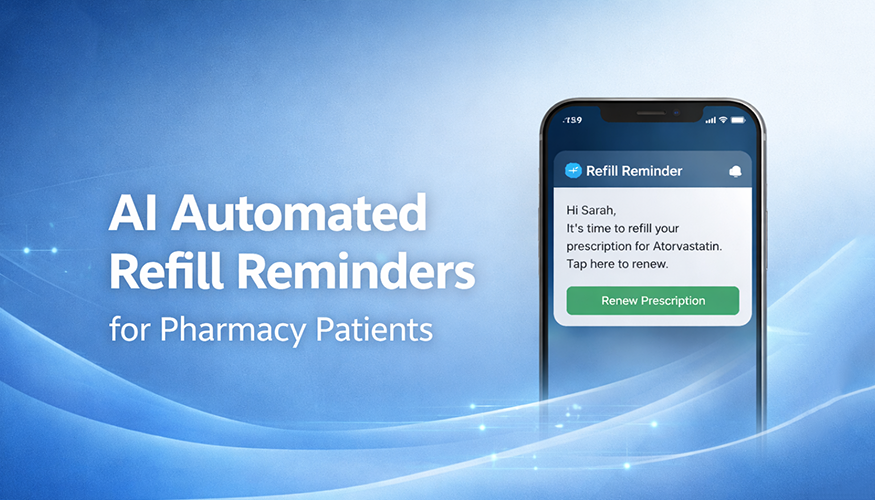
AI Automated Refill Reminders for Pharmacy Patients
Elizabeth Long
Bullhorn AI Assistant: In-ATS Recruiter Workflow
Elizabeth Long
PK Software + Whippy: AI and Automation for Pharmacies
Elizabeth Long
Aqore Automation: AI Staffing Beyond Mass Messaging
Elizabeth Long